
Features
Planning & Organizing


Weather, Wind, Wave Height/Period
See an extended 7-day marine weather forecast with daily and hourly conditions that include weather, wind, tides and wave heights/period. The convenience of having marine weather conditions for any location within the Argo app will help you plan, navigate, and anchor more safely.
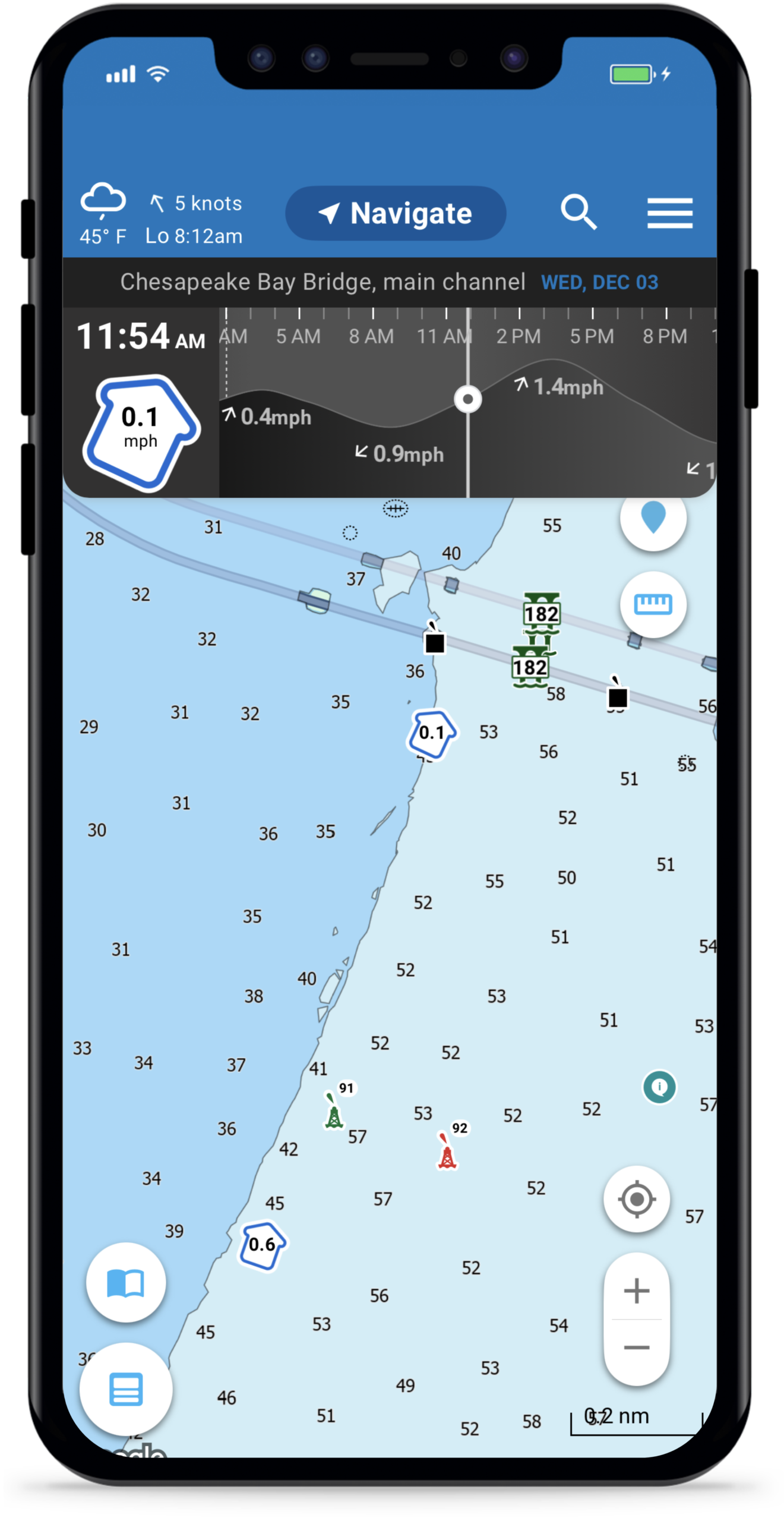
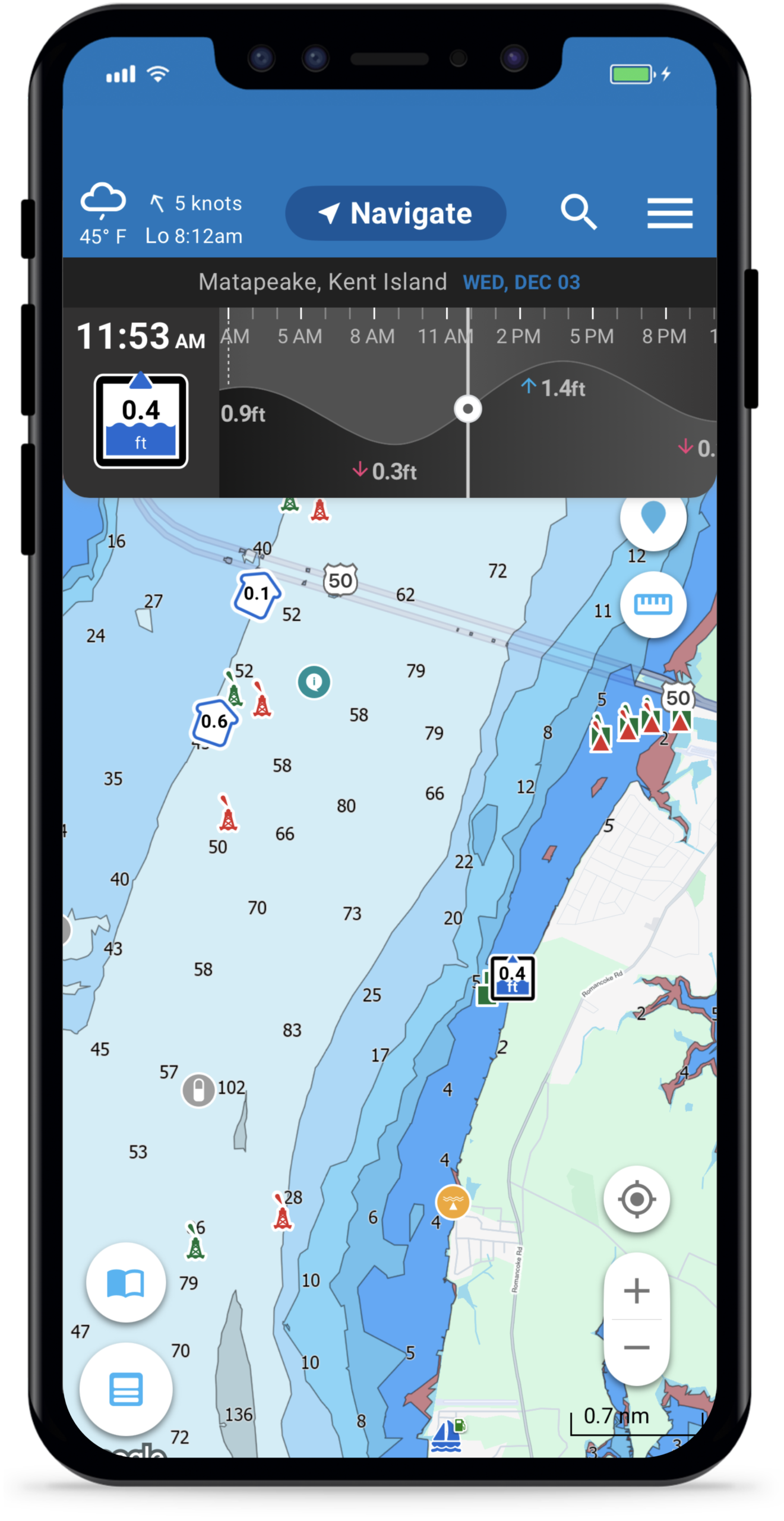
Tide and current stations show detailed, 7-day forecasts in a clear visual format, right from the chart. This means you can instantly see when tides are rising or falling and by how much, when currents are strongest or weakest and the best times for passing inlets, docking, or anchoring
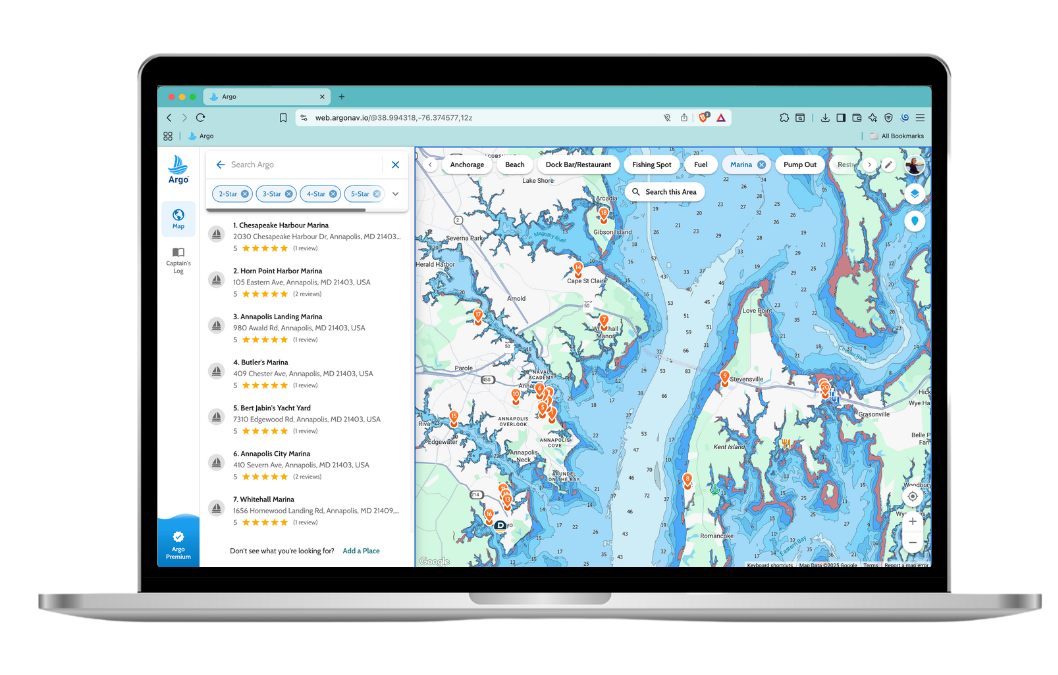
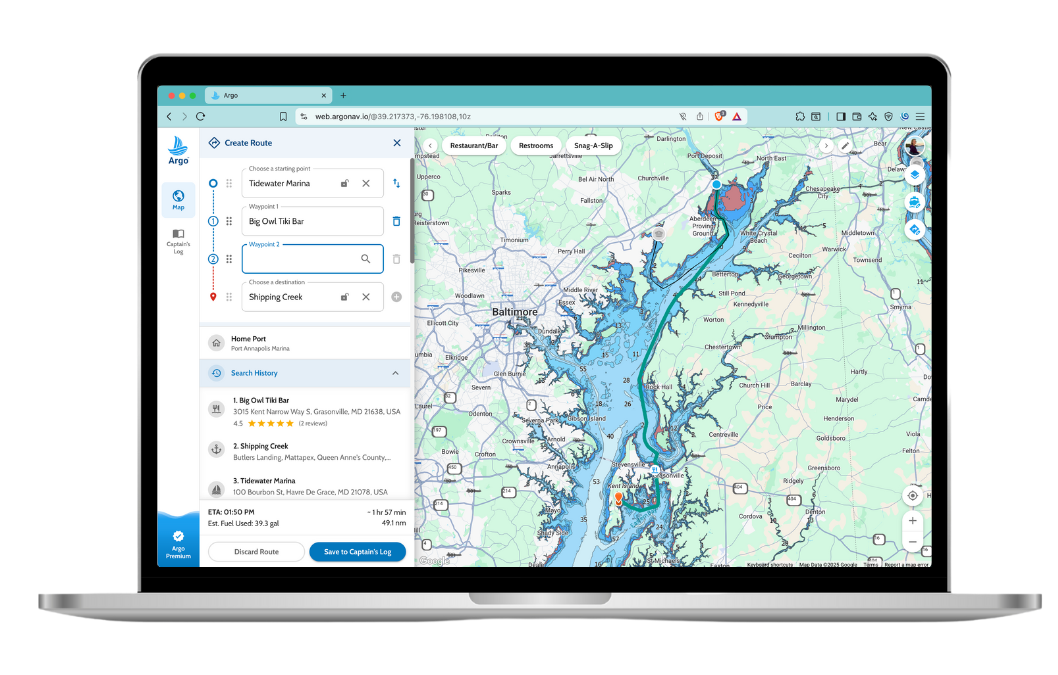

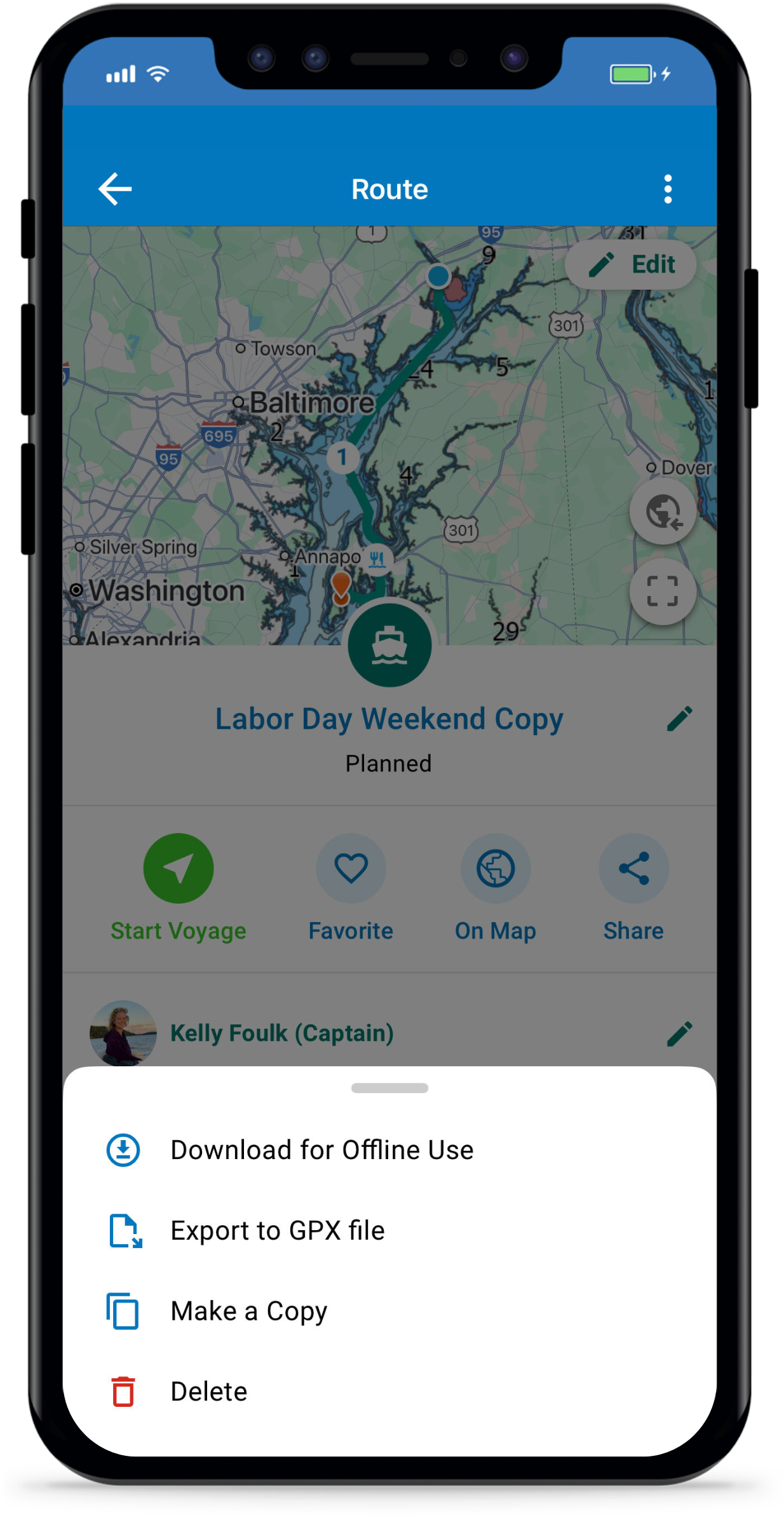

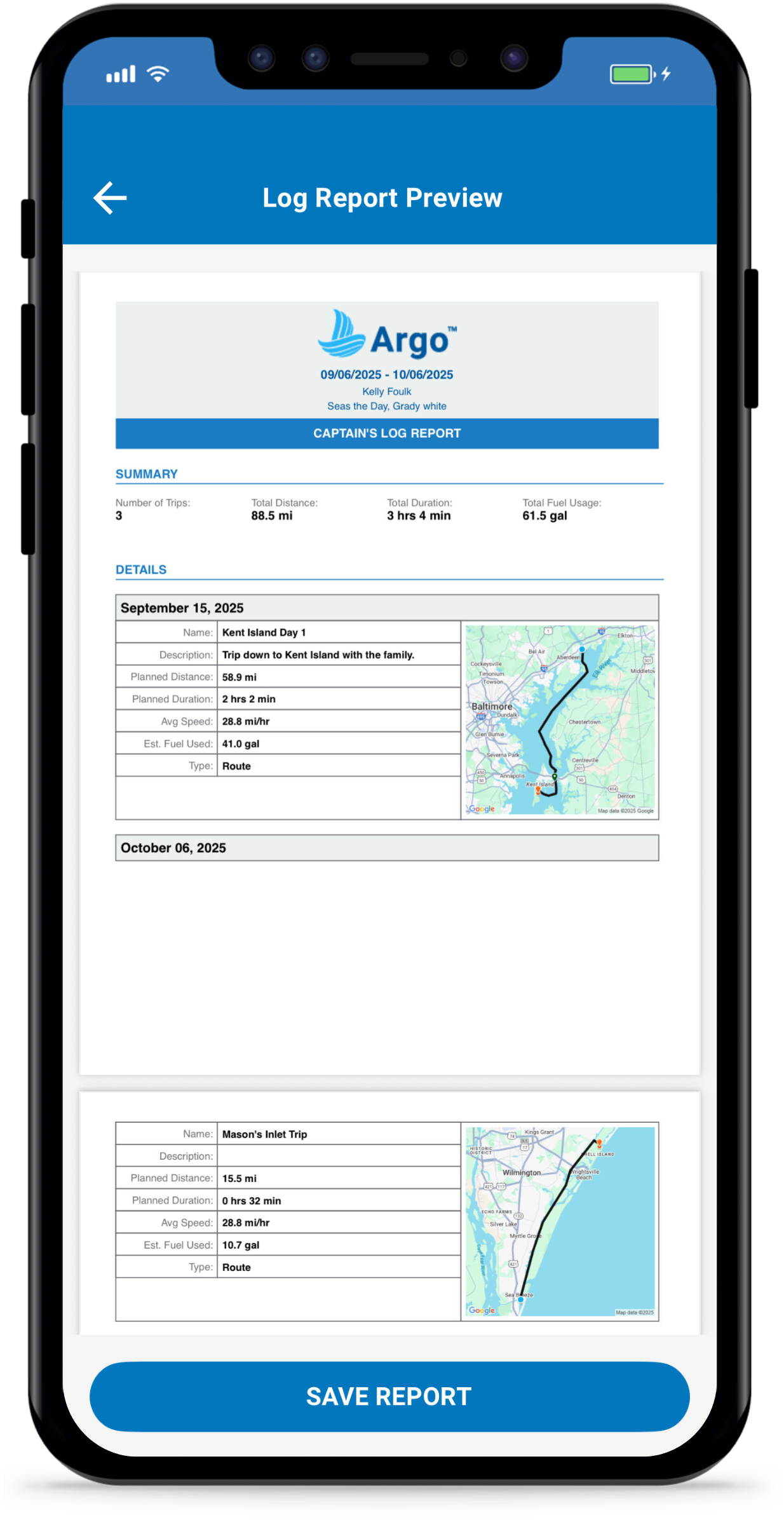
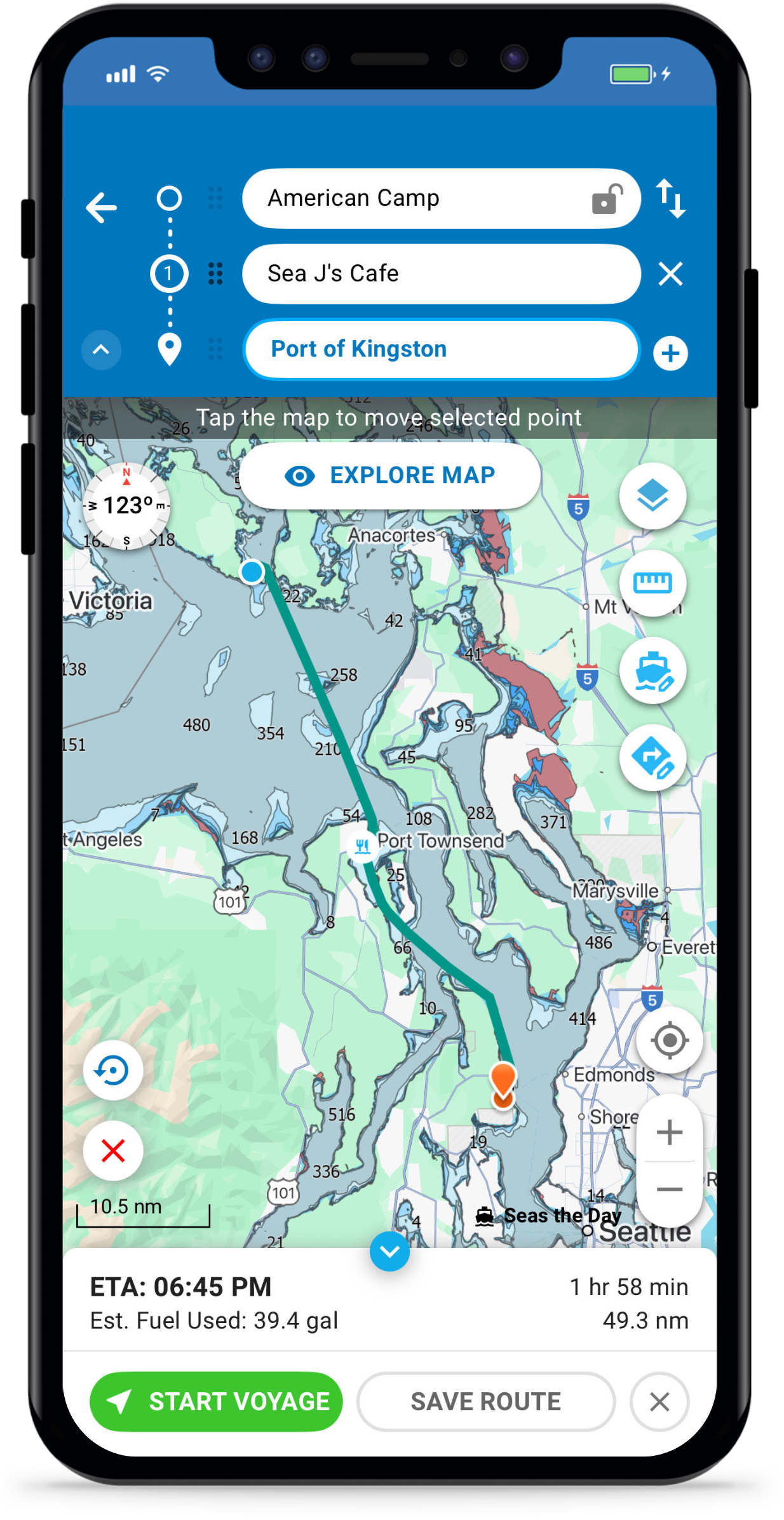
Autoroute With Waypoints
Argo’s autoroute feature will automatically create a quick and safe route for you based off of your boat’s draft and height. Add stops along the way – such as fuel, restaurants and beaches. Or customize your route with waypoints. Check ETA, fuel consumption, time and distance before setting off.
7-Day Marine Forecast
Weather, Wind, Wave Height/Period
See an extended 7-day marine weather forecast with daily and hourly conditions that include weather, wind, tides and wave heights/period. The convenience of having marine weather conditions for any location within the Argo app will help you plan, navigate, and anchor more safely.
Tides & Currents
Tide and current stations show detailed, 7-day forecasts in a clear visual format, right from the chart. This means you can instantly see when tides are rising or falling and by how much, when currents are strongest or weakest and the best times for passing inlets, docking, or anchoring
Features
Navigation Tools
Dummy Text

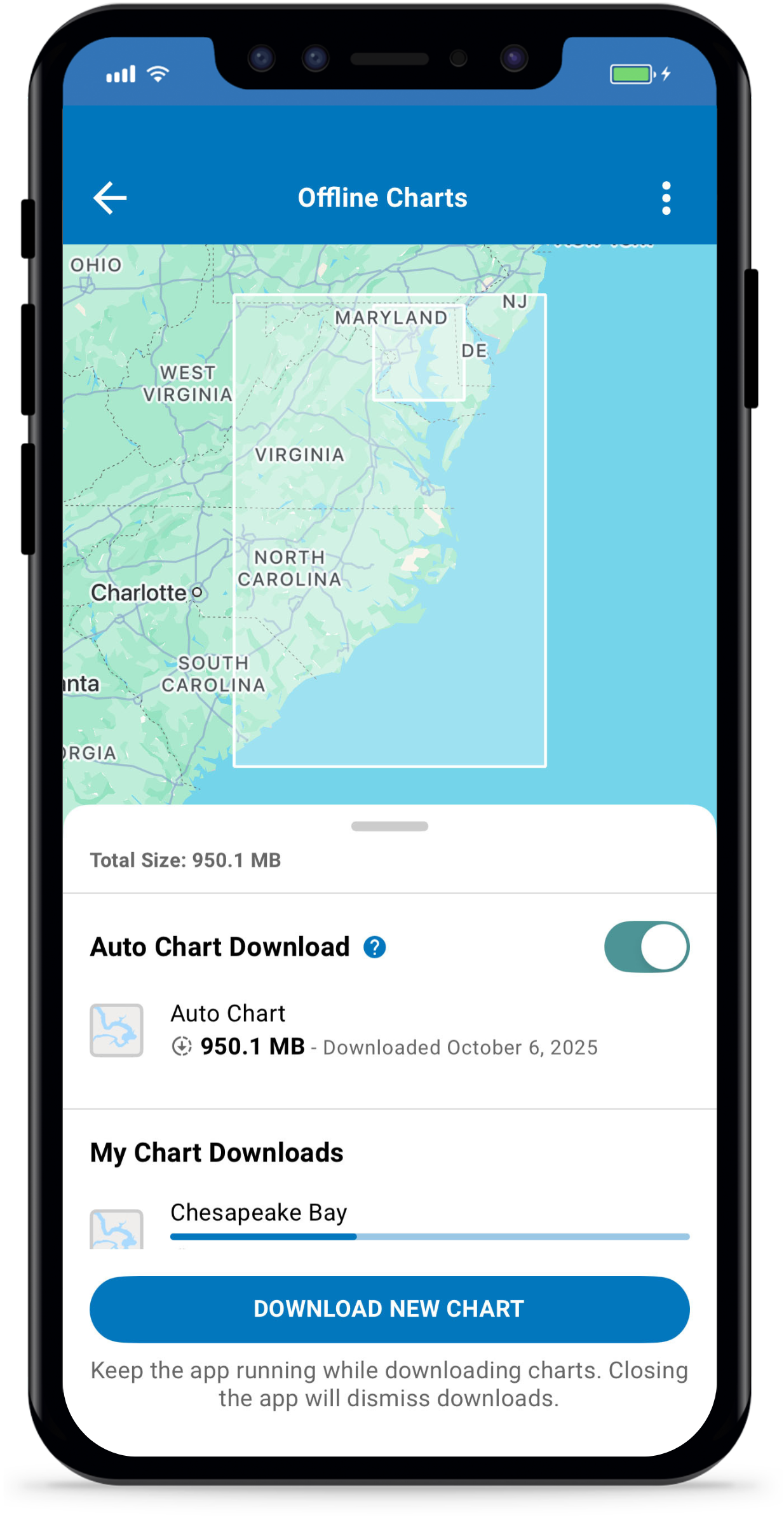
Download charts and routes anywhere in North America if connectivity is lost. Argo lets you download Standard or NOAA ENC chart areas, or download automatically for the area surrounding you and your home port. Argo seamlessly goes into offline mode without losing access to critical chart data like depth numbers and depth contours/shading, eliminating any connectivity concerns on the water.
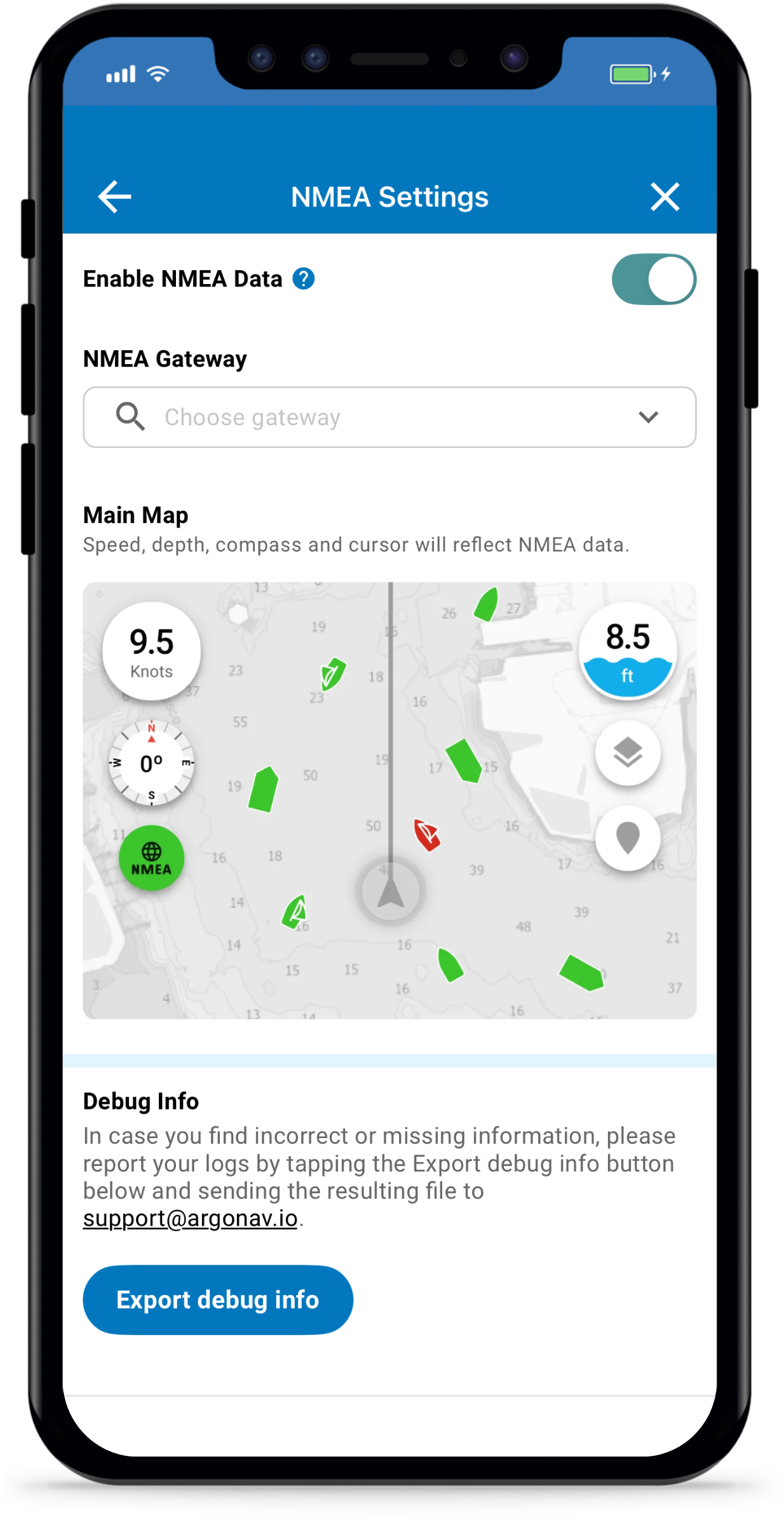
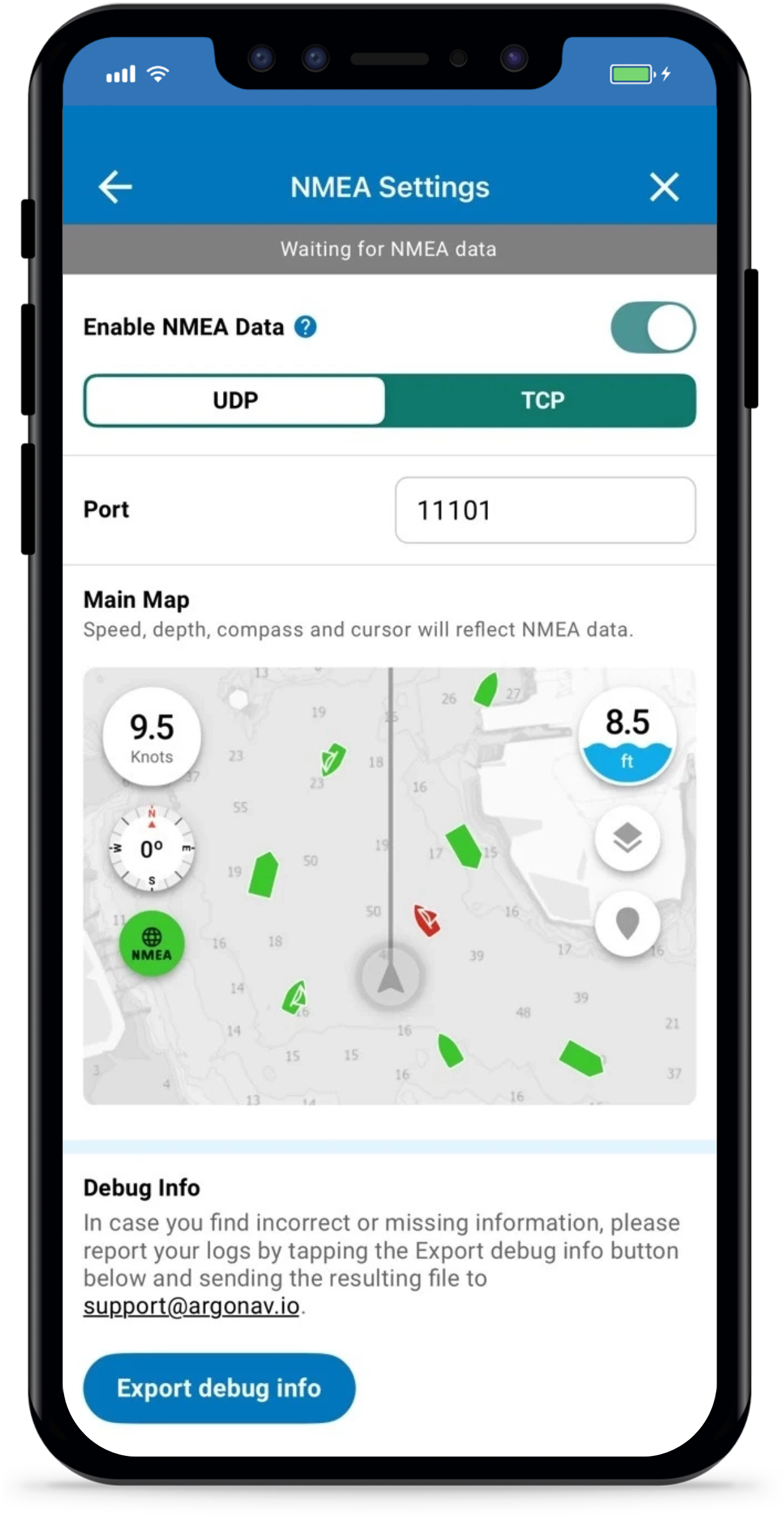
Connect your boat’s NMEA instruments to a Wi-Fi gateway and bring all your essential data to your fingertips. Monitor real-time depth, speed, and heading directly on your phone, tablet, or Mac. Stay aware of nearby vessels with live AIS boat traffic updates, ensuring safer and more informed navigation wherever you go.
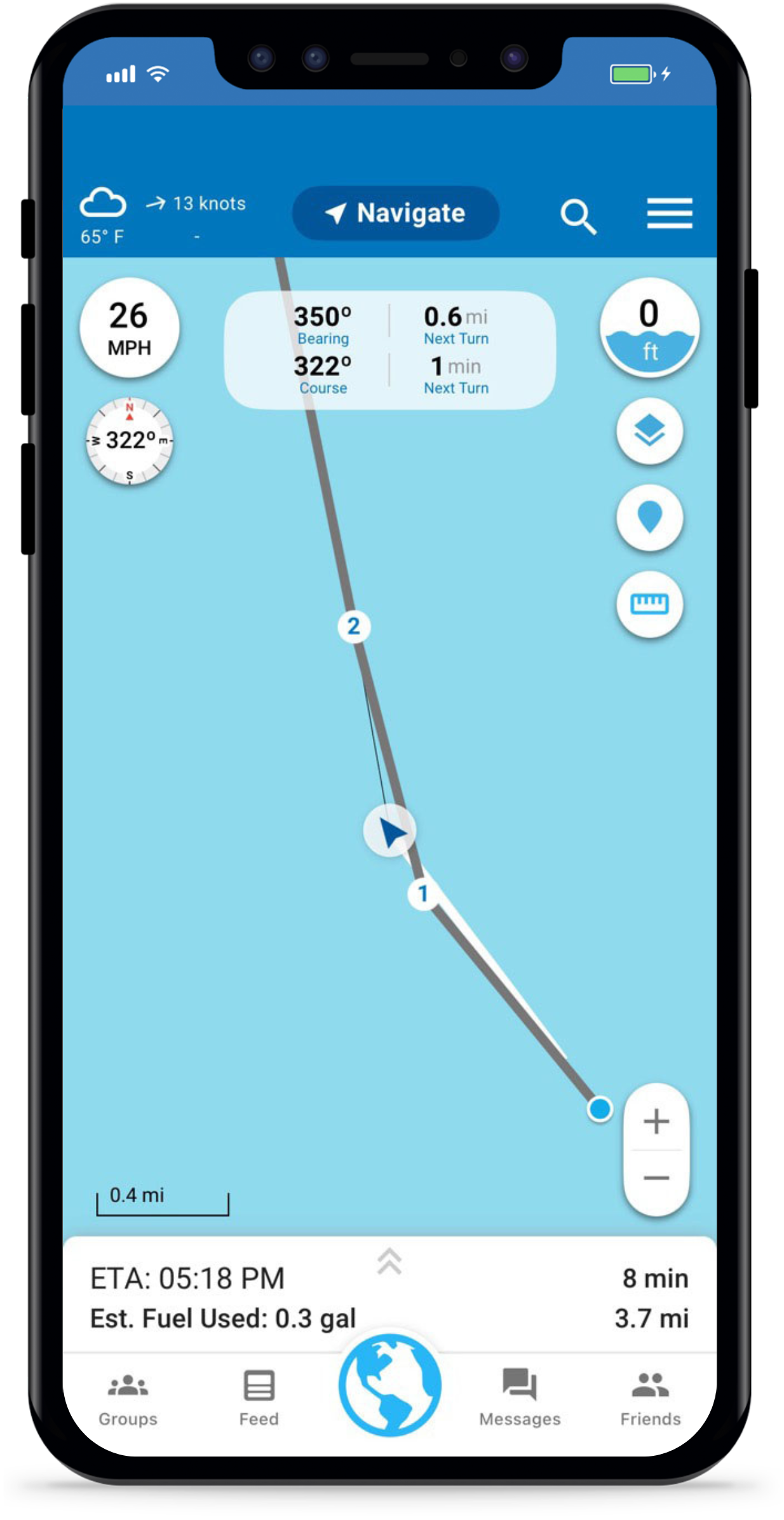
See key navigation data at the top of your screen:
- Bearing – The direction your boat is currently heading
- Course – The direction your route is guiding you
- Time to Next Turn – Estimated time before your next maneuver
- Distance to Next Turn – How far until your next turn
This will help you notice drift early if wind or current pulls you off route. Stay one step ahead in unfamiliar waters or busy channels
See key navigation data at the top of your screen:
Course
The direction your route is guiding you
Bearing
The direction your boat is currently heading
Time to Next Turn
Estimated time before your next maneuver
Distance to Next Turn
How far until your next turn
This will help you notice drift early if wind or current pulls you off route. Stay one step ahead in unfamiliar waters or busy channels

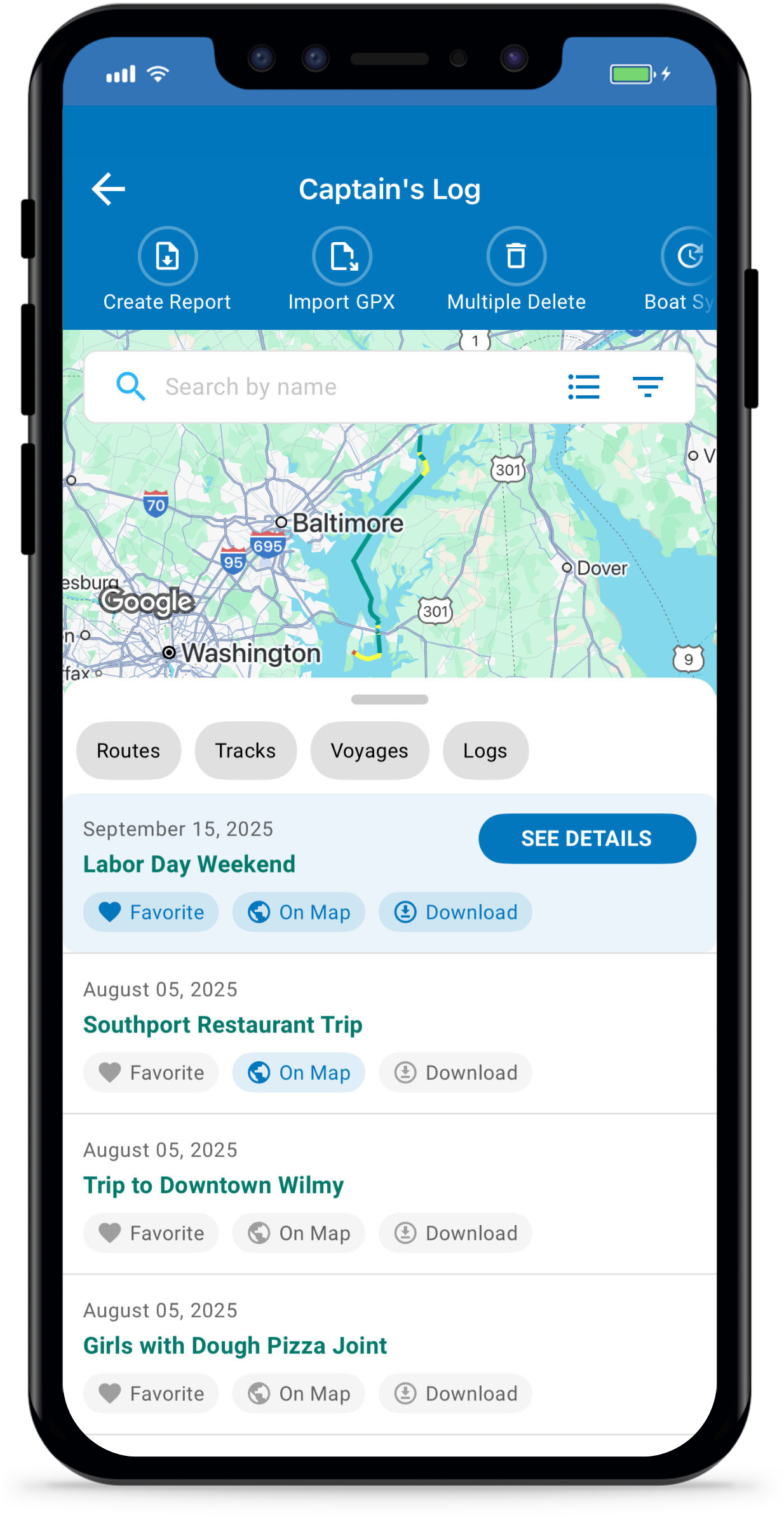
Add multiple routes and tracks to the chart. Ideal for a return trip home, displaying imported Bob423 tracks tracks or adding a friend’s track shared with you.
Offline Charts
Download charts and routes anywhere in North America if connectivity is lost. Argo lets you download Standard or NOAA ENC chart areas, or download automatically for the area surrounding you and your home port. Argo seamlessly goes into offline mode without losing access to critical chart data like depth numbers and depth contours/shading, eliminating any connectivity concerns on the water.
NMEA/AIS Traffic
Connect your boat’s NMEA instruments to a Wi-Fi gateway and bring all your essential data to your fingertips. Monitor real-time depth, speed, and heading directly on your phone, tablet, or Mac. Stay aware of nearby vessels with live AIS boat traffic updates, ensuring safer and more informed navigation wherever you go.
Course & Bearing
See key navigation data at the top of your screen:
- Course – The direction your route is guiding you
- Bearing – The direction your boat is currently heading
- Time to Next Turn – Estimated time before your next maneuver
- Distance to Next Turn – How far until your next turn
This will help you notice drift early if wind or current pulls you off route. Stay one step ahead in unfamiliar waters or busy channels
See key navigation data at the top of your screen:
Course
The direction your route is guiding you
Bearing
The direction your boat is currently heading
Time to Next Turn
Estimated time before your next maneuver
Distance to Next Turn
How far until your next turn
This will help you notice drift early if wind or current pulls you off route. Stay one step ahead in unfamiliar waters or busy channels
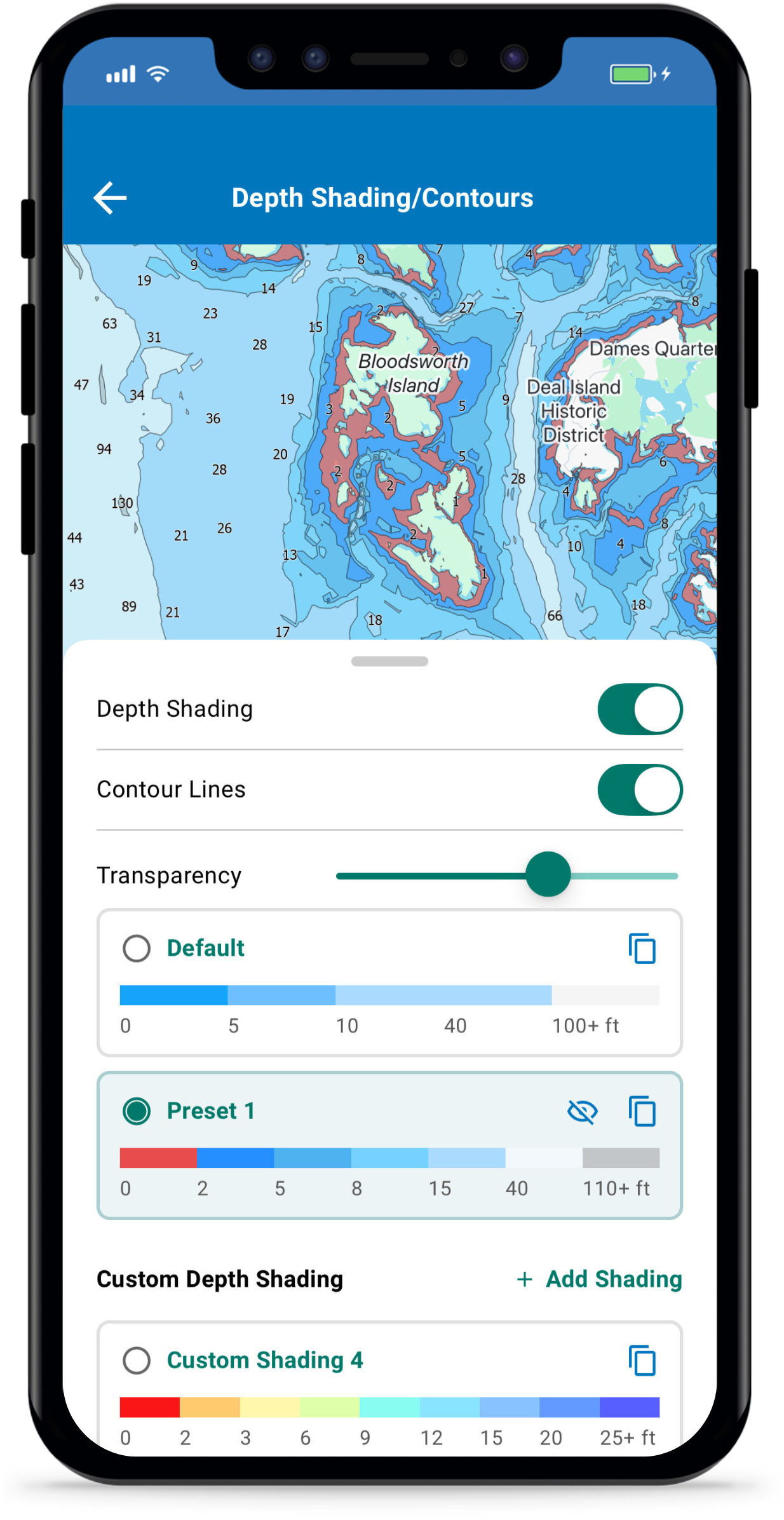
Custom Depth Shading
With Premium you can change the default blue colors to your own colors for any desired depth (up to 9 color shadings/contours). For recreational boaters this will help more clearly highlight shallow areas, and for fisherman it will highlight depth contours that you are most interested in.
On Map Routes/Tracks
Add multiple routes and tracks to the chart. Ideal for a return trip home, displaying imported Bob423 tracks tracks or adding a friend’s track shared with you.
Look out for these new premium features!
We’re continually adding advanced features to Premium, such as Weather Routing, Route Explorer, Anchor Alarm, and more!
Pricing Options
Unbeatable price. Unparalleled capability.
Interested in purchasing Argo for your organization? Contact Us.
How to Upgrade to Argo Premium
It is easy to get started with Argo Premium. Simply download Argo Navigation for FREE from the Apple Store or Google Play. Then activate your premium account in a number of ways:
Web App
Sign in using same method as mobile and then tap Upgrade to Premium in the lower left. This will upgrade your account for both web and mobile versions. Visit to get web.argonav.io/premium started.
Main Menu (Mobile App)
Tap on the lock associated with any Premium feature within the app and then tap “UPGRADE NOW.”