
Explore places on Argo’s map and tap on them for more information and features. Here we’ll review everything you can do from the Place Preview and Place Details screen.
Tap on a Place
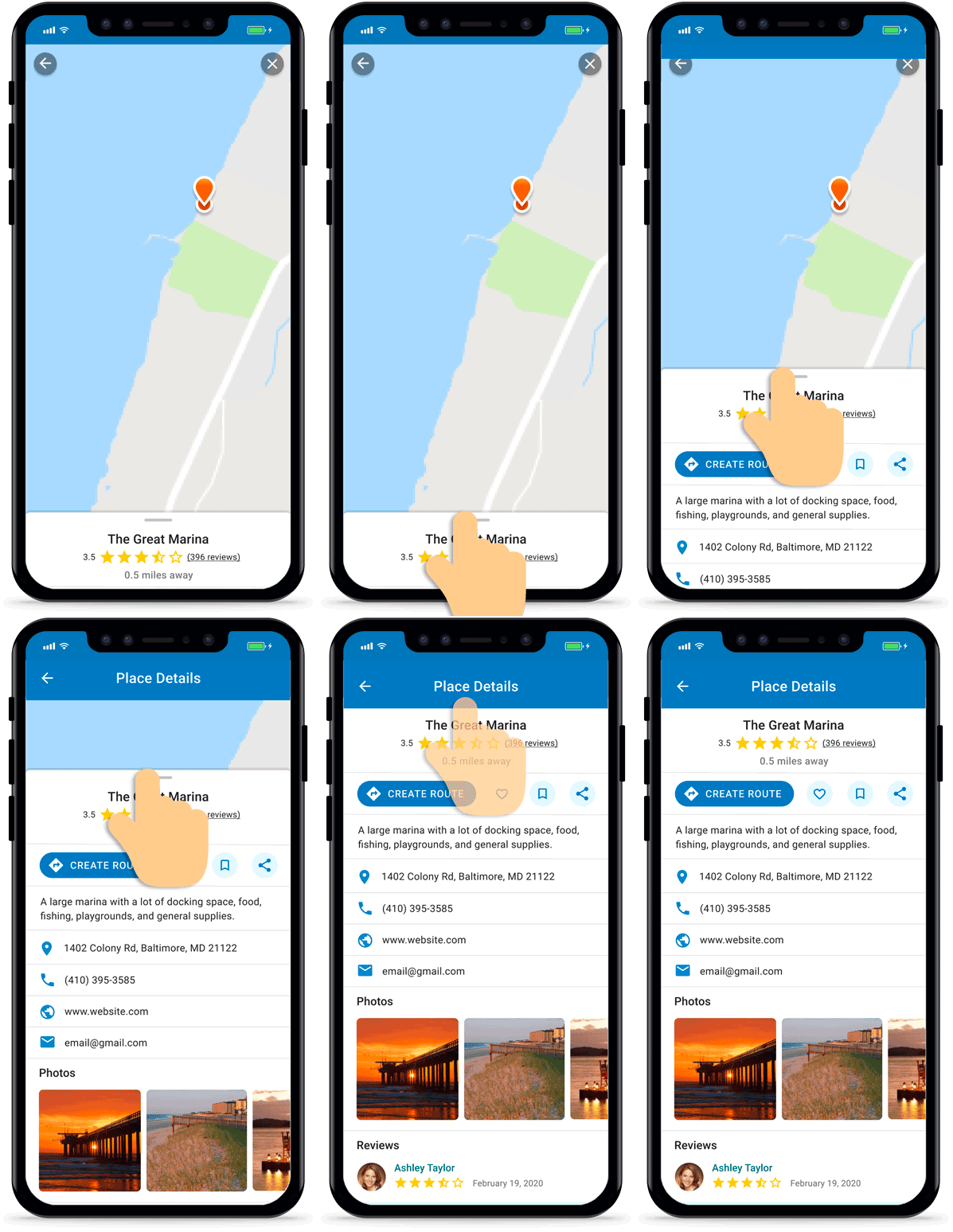
Tap on the place icons on your map to pull up a Place Preview. You can also use Argo’s search to find places.

Preview the Place
In the Place Preview screen (lower drawer) you can see the place’s name, distance away from you, and rating (if available). Tap the rating to read and add reviews.
Press the buttons to create a route  , add it to your favorites
 , save it to your Captain’s Log
 , or share it to your Social Feed
 .

View the Place Details
To learn more about the place, pull up on the grey bar on the preview screen to open the full screen. In the full display, you may also find a description about the place, contact details, address, hours of operation, website, photos and reviews. You can add a review here as well.
For marinas and yacht clubs, you may find info on fuel, amenities, depth and transient slips/moorings. If they are missing or have outdated fuel prices, you can also update the fuel.
Book a Slip, Mooring or Dock
Some places can be booked, reserved or checked in to through Argo’s partners. Open the place and look for the partner’s button.
- Dockshare: private docks and moorings for overnight stays. Under “For availability & booking,” tap Book Now on Dockshare.
- SlipRezi: dock space and tables at Florida restaurants and dock bars, so you can tie up and eat. Tap the button under “For slip/table reservations.”
- OnBuoy: public and private moorings. Tap the button under “For more info & check in” for details. Checking in shows other boaters the spot is taken. It doesn’t pay any mooring fee, so follow the listing’s rules.
For a marina, use the contact details on its page, such as the phone number or VHF channel, to ask about a slip.
To find these places, tap Search Categories in search and pick a partner under Partners.
Update Fuel Prices
As a user you can add or update fuel prices if enabled by the owner. Simply tap Add Fuel or Fuel Edit in the fuel section of marina or yacht club details. The date the fuel was last updated will also be listed.