

And Why “Always Allow” Location Access Is Required
Navigation apps can feel deceptively simple. You open the app, your boat icon appears on the chart, and off you go. Under the hood, navigation is anything but simple. It’s a continuous process that depends on motion, time, and context—not just a single location reading.
While we’re talking specifically about Argo, this is a public service announcement for navigation apps in general. Everything described below applies to any app that needs continuous location awareness—marine, aviation, hiking, or cycling. These are the rules of modern navigation, not Argo-specific quirks.
Our Privacy Stance: Argo doesn’t sell ads or user data. We don’t monetize your location. Our need to know where you are exists for one reason only: to make navigation work reliably and safely.

Navigation Is Not “Where Am I?” It’s “How Am I Moving?”
A single GPS fix is not navigation; it’s just a point on a map. True navigation requires understanding movement over time. To give you accurate information, an app must know:
- Where you were a moment ago vs. where you are now.
- Your current speed and whether you are accelerating or slowing.
- Your Course Over Ground (COG)—which is often different from where your bow is pointing due to wind and current.
From that continuous stream, navigation apps derive speed, track lines, ETA predictions, and safety alerts. This depends entirely on continuity. If you break the stream of location updates, the app’s understanding of your situation begins to fall apart.
The Hard Reality: Low-Speed GPS Behavior
Much of the GPS behavior you see at common boating speeds is dictated by the Operating System (iOS or Android), not the app itself.
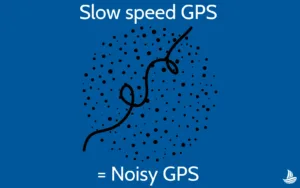
When a vessel moves below 9 knots, the distance traveled between location updates is very small—often similar to the “noise” or margin of error in a standard GPS signal. To manage this, mobile operating systems deliberately reduce how often they deliver location updates when movement is slow or steady.
This is an explicit design choice made by OS developers. Apps do not control this behavior, and they cannot override it. When the OS spaces updates farther apart, the app’s picture of the vessel’s motion is consistently degraded, leading to unstable speed and direction readings.
What “Background Location Access” Actually Means
Background access does not mean an app is tracking you 24/7. It means the app is allowed to continue receiving GPS updates while it is actively navigating, even if the screen is off or you’ve switched to another app.
Mobile devices manage apps in three basic states:
- Foreground: The app is open and visible.
- Background: The app is running, but you’ve switched to another task.
- Suspended: The OS has “frozen” the app to save resources.
Without background access, a navigation app is often suspended the moment you lock your screen or check a text. Once suspended, the app stops recording track points, stops calculating your ETA, and—most importantly—stops monitoring safety alarms or thresholds.
What Happens When Updates Stop?
If an app loses GPS updates because the OS suspended it, the motion history is broken. When the app resumes, speed and heading estimates must reset, resulting in a temporary loss of continuity in your motion data.
This is also why track recording develops gaps. When location updates stop, the app can only connect your last known position to your current one with a straight line (often over land). Those straight lines aren’t guesses; they are simply the result of missing data points that the OS refused to provide while the app was suspended.
Why “Always Allow” Is a Bad Name (But the Right Setting)
On iOS and Android, the system label is often “Always Allow Location Access.” We agree—it’s a terrible name. What it actually means is:
“Allow this app to receive location updates while it is actively navigating, even if it isn’t currently on screen.”
GPS-Based Alarms / Anchor Alarms
Consider an Anchor Alarm. If an app only has “While Using” permission, the alarm effectively stops working the second you put your phone in your pocket or the screen goes dark. An anchor alarm that doesn’t work in the background isn’t a safety tool—it’s an illusion of security.
Devices, Charging, and Heat
Continuous GPS use is power-intensive. We strongly encourage maintaining a charging setup at the helm. Repeatedly discharging and recharging a battery—especially in direct sun—generates significant internal heat, which can trigger OS throttling. Keeping your device at a 100% state of charge helps prevent the system from slowing down or reducing GPS frequency to protect itself.
Practical Control: What You Can Do
If background access makes you uneasy, you can still maintain total control:
- Force-Quit When Finished: If you aren’t actively on the water, “swipe up” to close the app. If the app isn’t running, it isn’t receiving your location.
- Use External Hardware: For those seeking the highest accuracy at slow speeds, compatible external GPS or NMEA hardware can supplement your device’s internal data, bypassing many OS-level limitations.
- Kill the App, Not the Permission: If you don’t trust an app, don’t just limit its permissions—close it entirely when not in use.
The Bottom Line
Navigation is continuous; mobile devices are not. Background location access exists to bridge that gap. If a navigation app claims it doesn’t need background access, it either isn’t performing real-time navigation or is failing quietly when you aren’t looking. Neither is acceptable when the safety of your passengers, your family, and your vessel is at stake.