
Share where you’ve been, where you’re headed and the places worth a stop with your friends and groups. What you share shows up in Community, where friends can like and comment on it.
3 minute read
Share a trip when you finish it
Your trips post to Community when you save them, with a map of your route, the distance and your photos. This works whether you followed a route or recorded a track. Saving a route you’ve planned but haven’t taken doesn’t post anything.
Step 1: Finish your trip
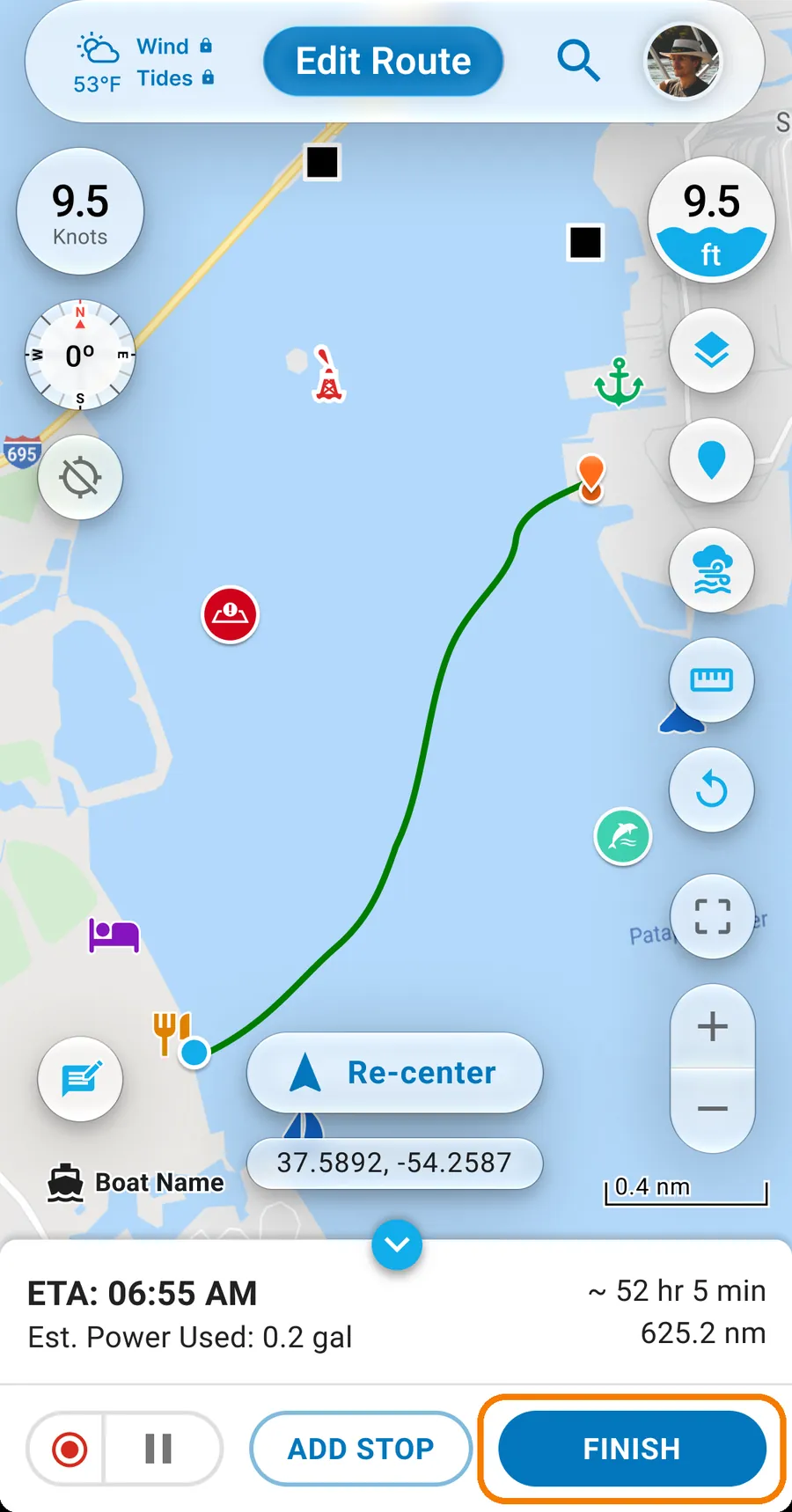
When you’re done on the water, tap FINISH. On Save your Trip, give it a name and a short description, and add photos if you like.
Step 2: Choose who sees it and save
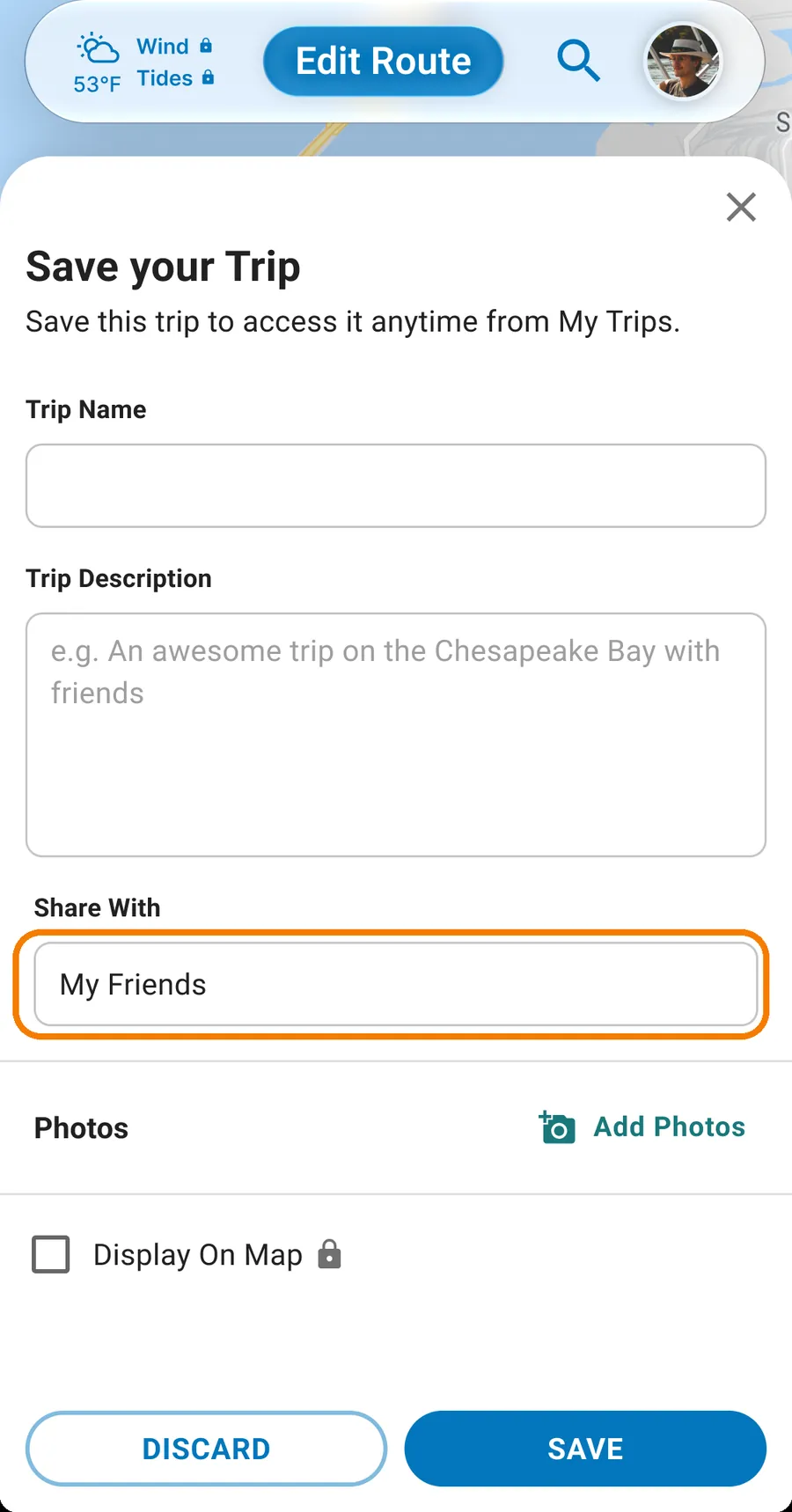
Under Share With, your trip is set to share with My Friends. Tap it to add any of your groups, or choose Only Me to keep it to yourself. Argo remembers your choice for your next trip. Tap SAVE.
Share a planned route or older trip
Saving a route you’ve planned doesn’t post it. To share a route before you go, or a trip you didn’t share when you saved it, post it from My Trips.
Step 1: Open My Trips
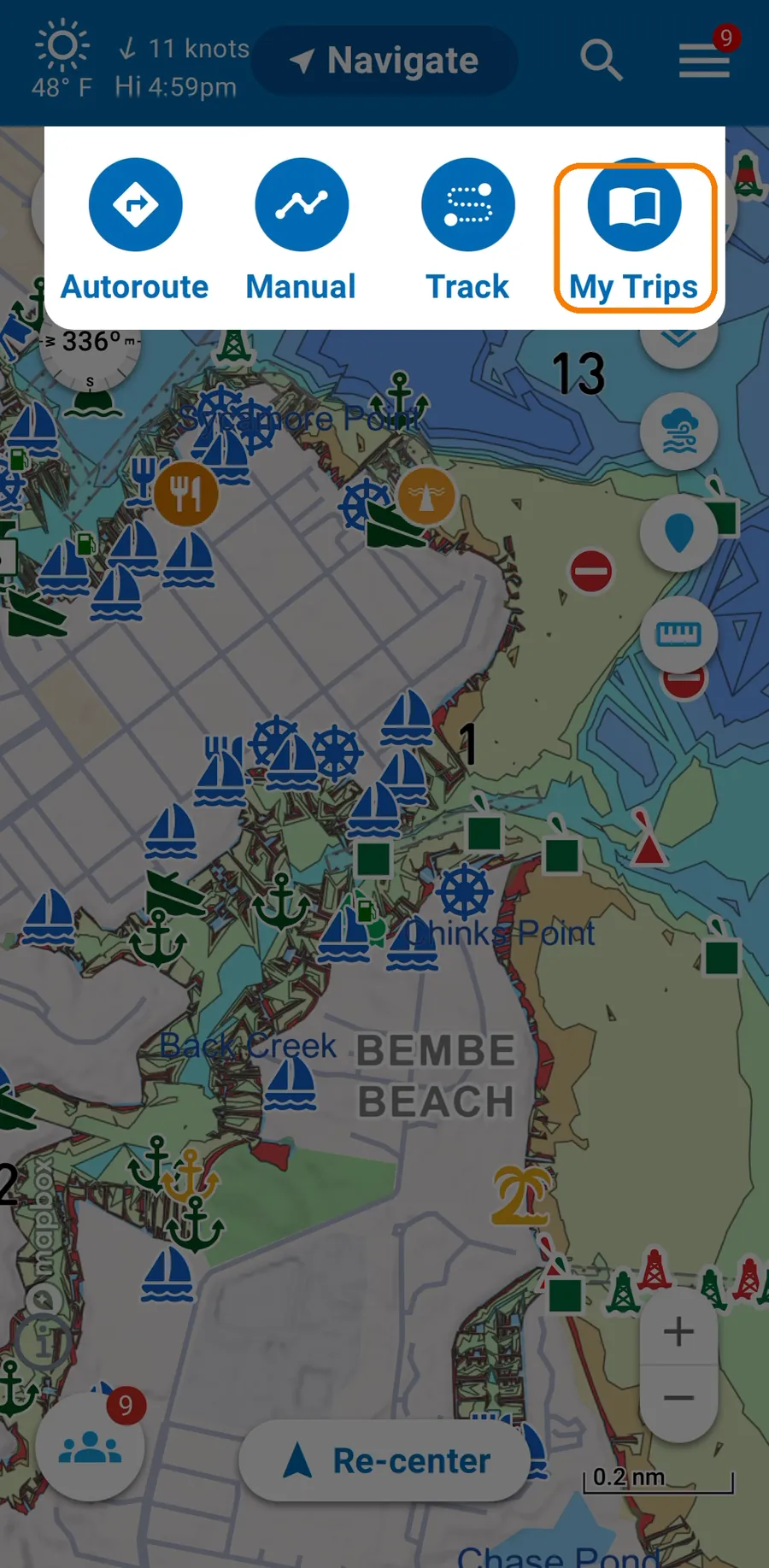
From the map, tap Navigate, then My Trips.
Step 2: Find your route or trip
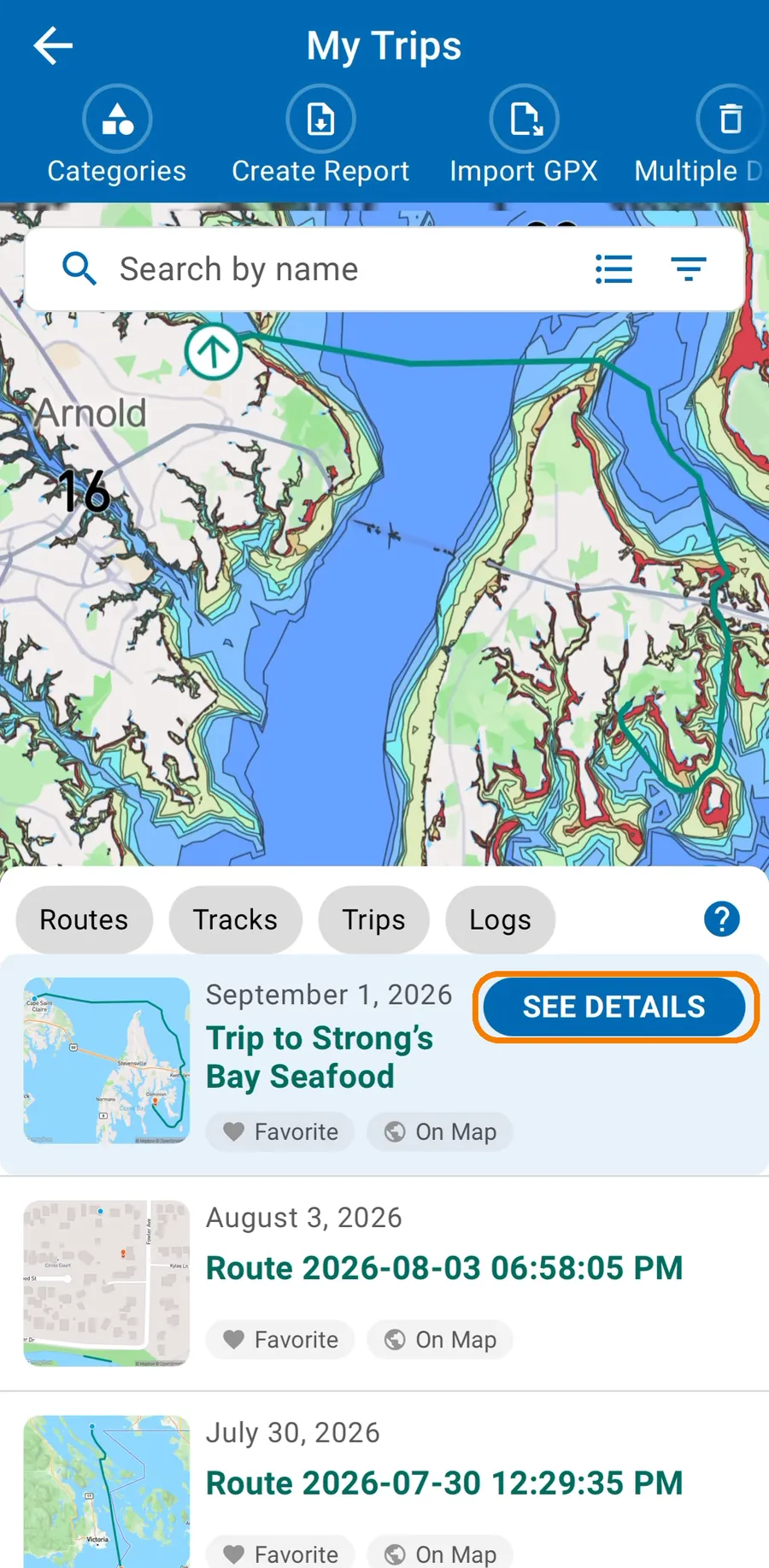
Tap Routes for routes you’ve planned, or Trips for trips you’ve taken. Tap the one you want to share, then tap SEE DETAILS.
Step 3: Add photos (optional)
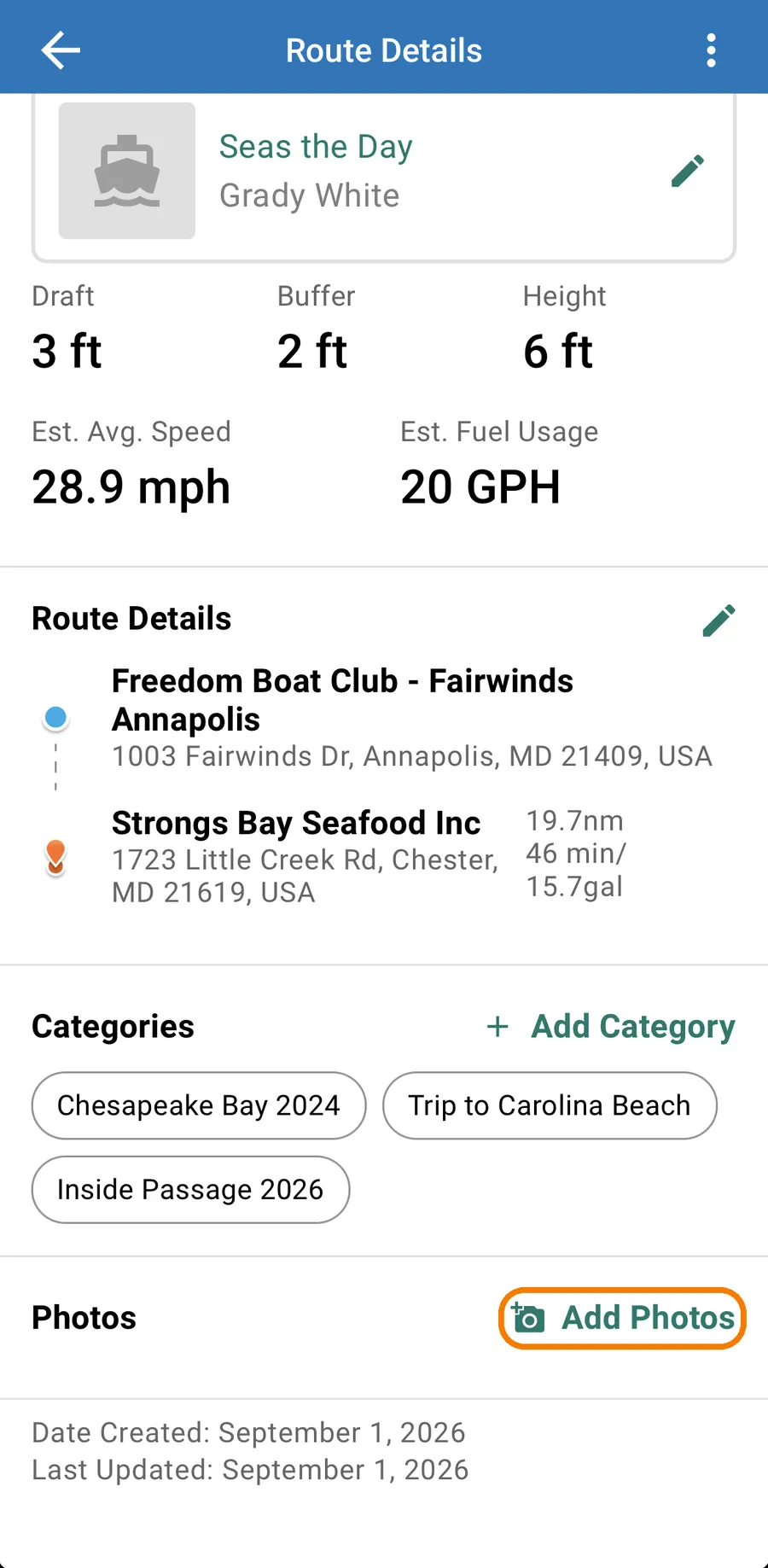
The post shows the photos saved on the route or trip, and you can’t add them to the post itself. To include some, scroll down to Photos and tap Add Photos. You can add photos but not videos.
Step 4: Tap Share
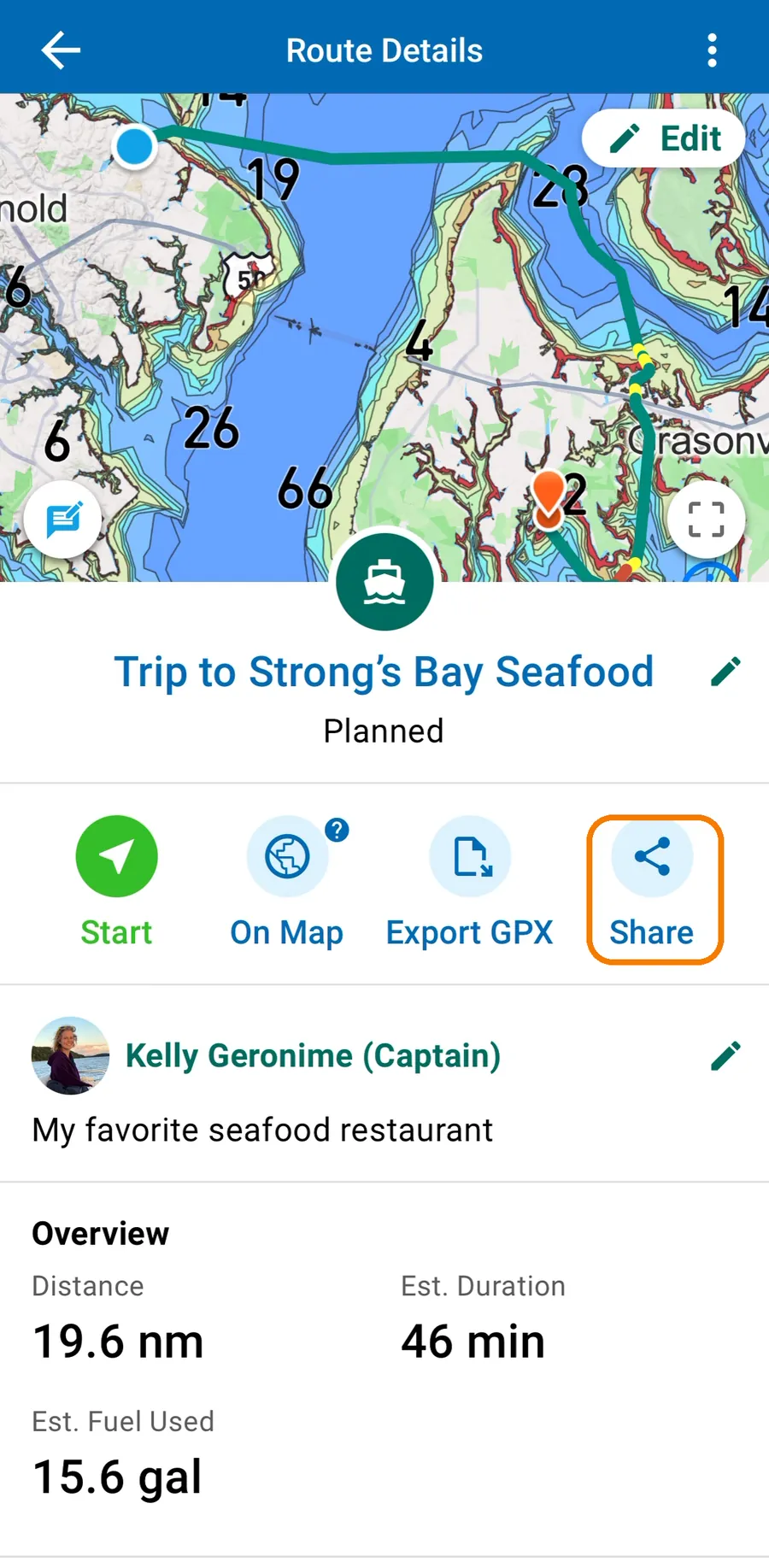
Tap Share, then Share to Friends or Groups. To send it to one boater instead, choose Send as a Message.
Step 5: Add a note and post
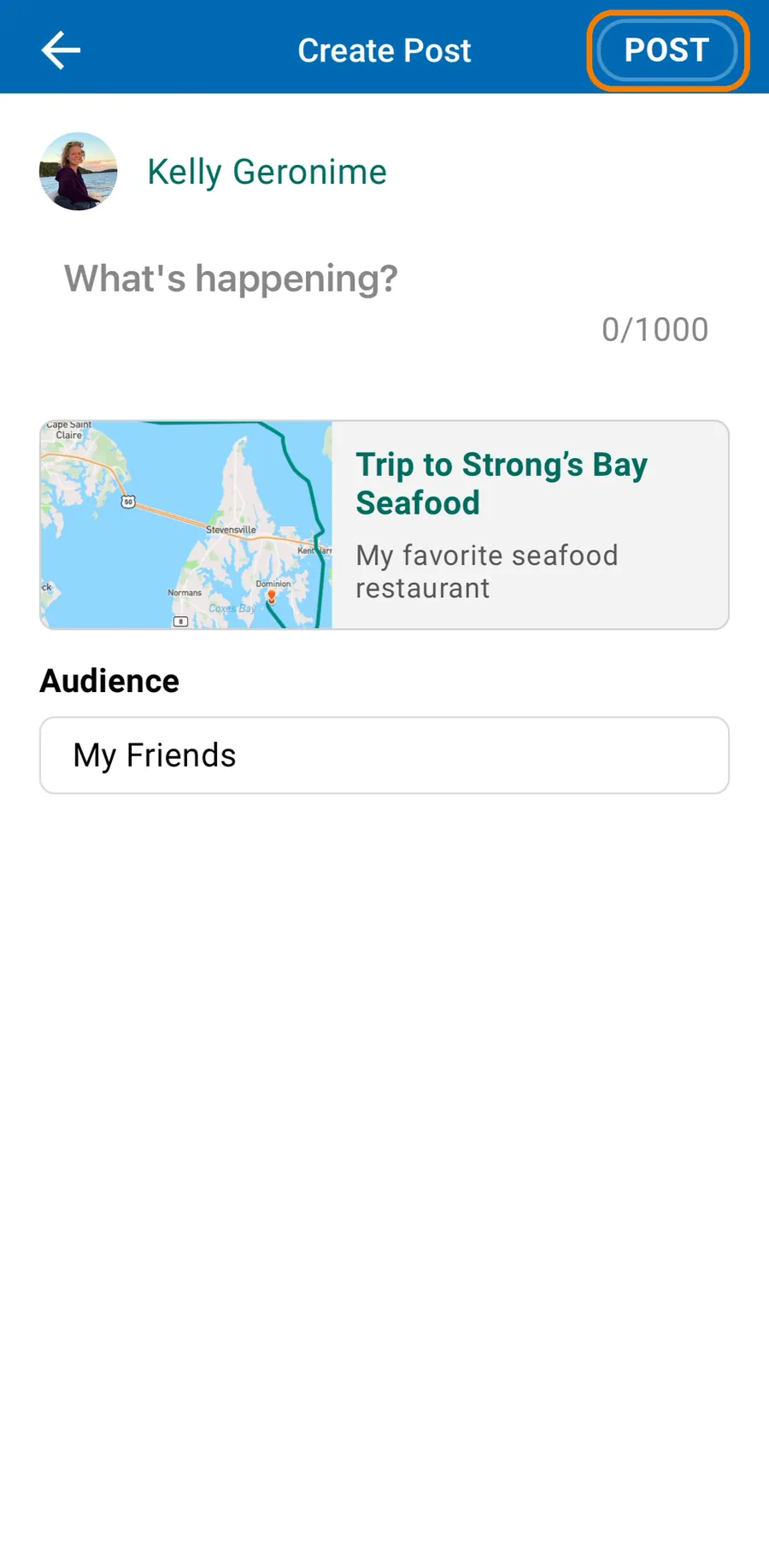
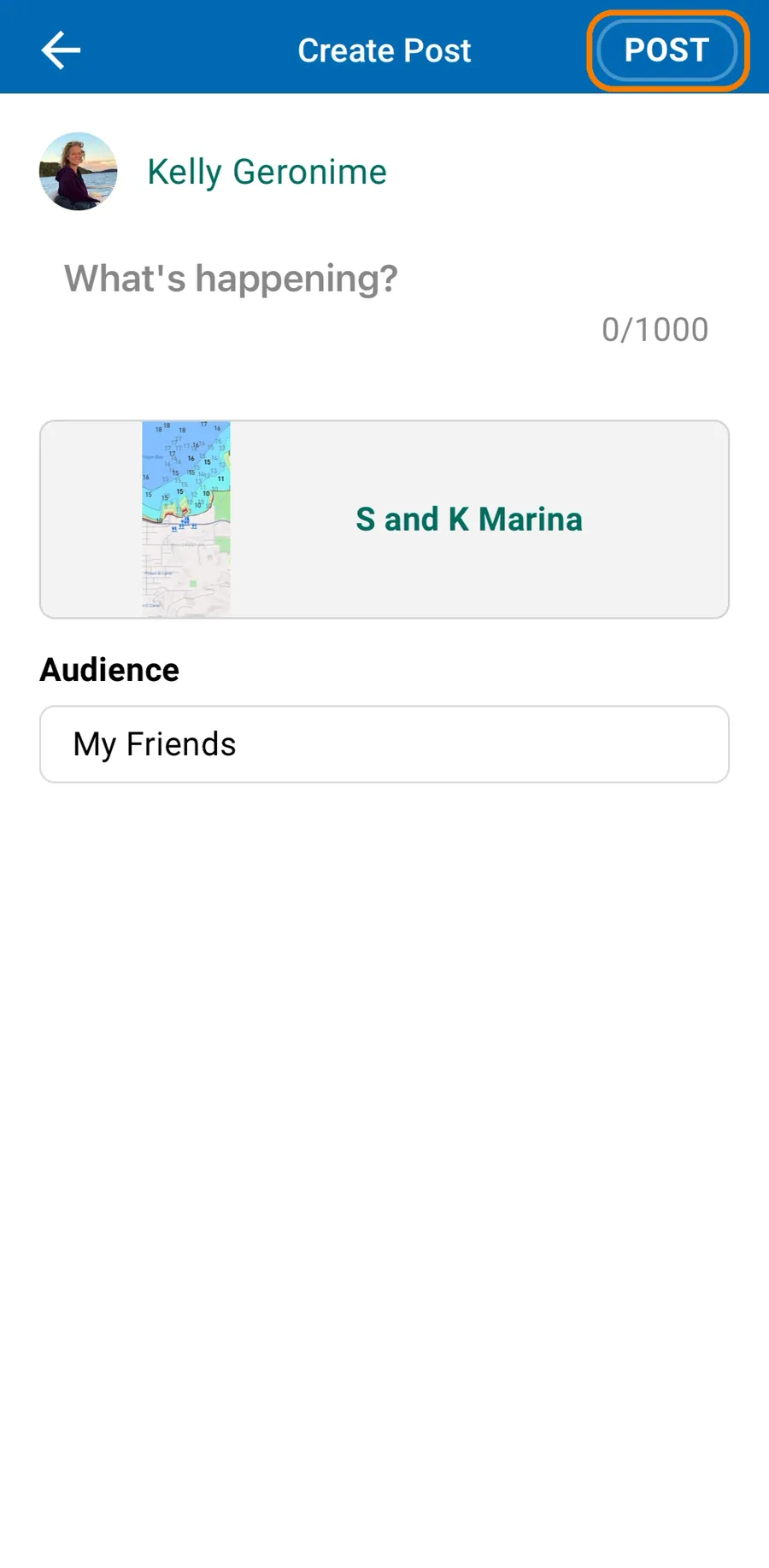
The route is added to a new post. Add a note, choose your Audience and tap POST.
Share a place
Step 1: Open the place
Open the marina, dock bar or other place you want to share. Tap it on the map, open My Places, or find it with search.
Step 2: Tap share
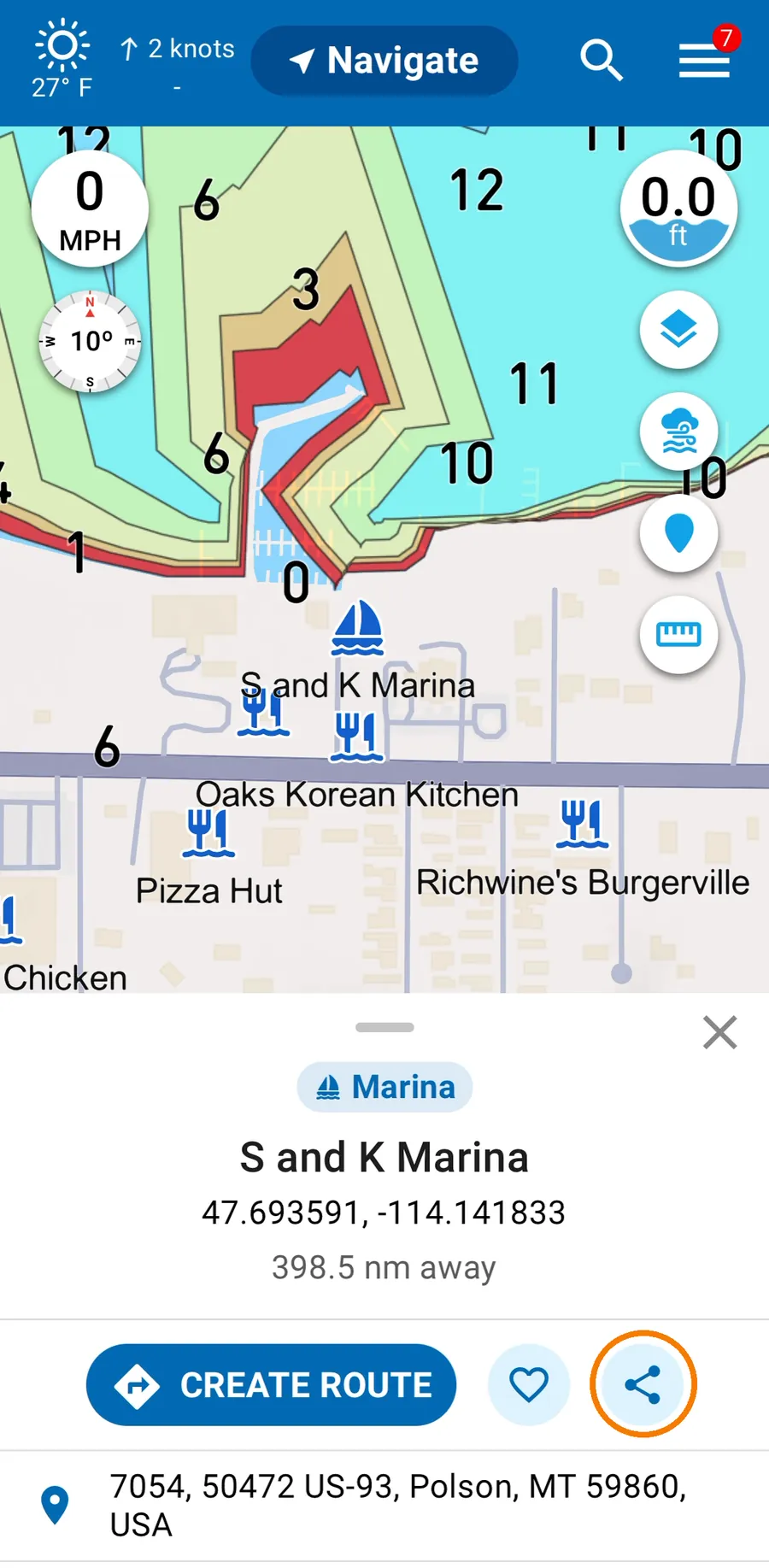
Tap the share button next to the heart, then choose Share to Friends or Groups. To send it to one boater instead, choose Send as a Message.
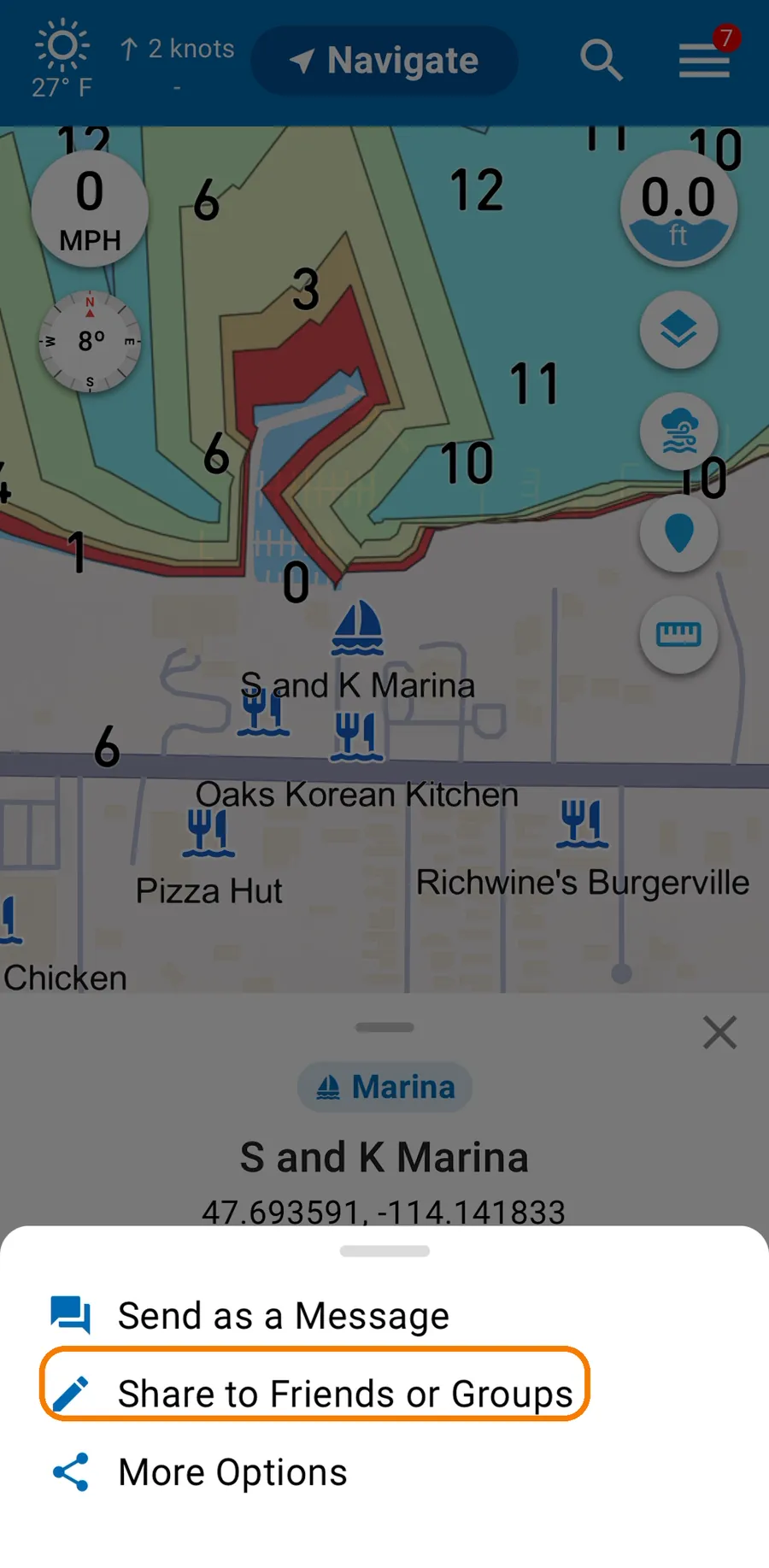
Step 3: Add a note and post
The place is added to a new post. Add a note, choose your Audience and tap POST.
What’s next
Post where your boating friends already are: Find and join a group or club. To like and comment on what others share, see Post in Community.