
See how deep a channel measured the last time the U.S. Army Corps of Engineers surveyed it, and how old that survey is.
Why it matters
Every depth on a chart came from a survey, and channels keep changing after it. Some inlets start shoaling as soon as the dredge leaves. The Corps doesn’t survey every channel on a set schedule. Busy commercial channels may be surveyed several times a year, often around dredging. Quieter channels get surveyed much less often.
Argo’s standard chart already uses these surveys where they exist, and Argo checks for new ones every 15 minutes. The USACE view shows the surveys themselves, with contour lines every foot and the date each one was taken, so you can see how fresh the depth is before you run the channel.
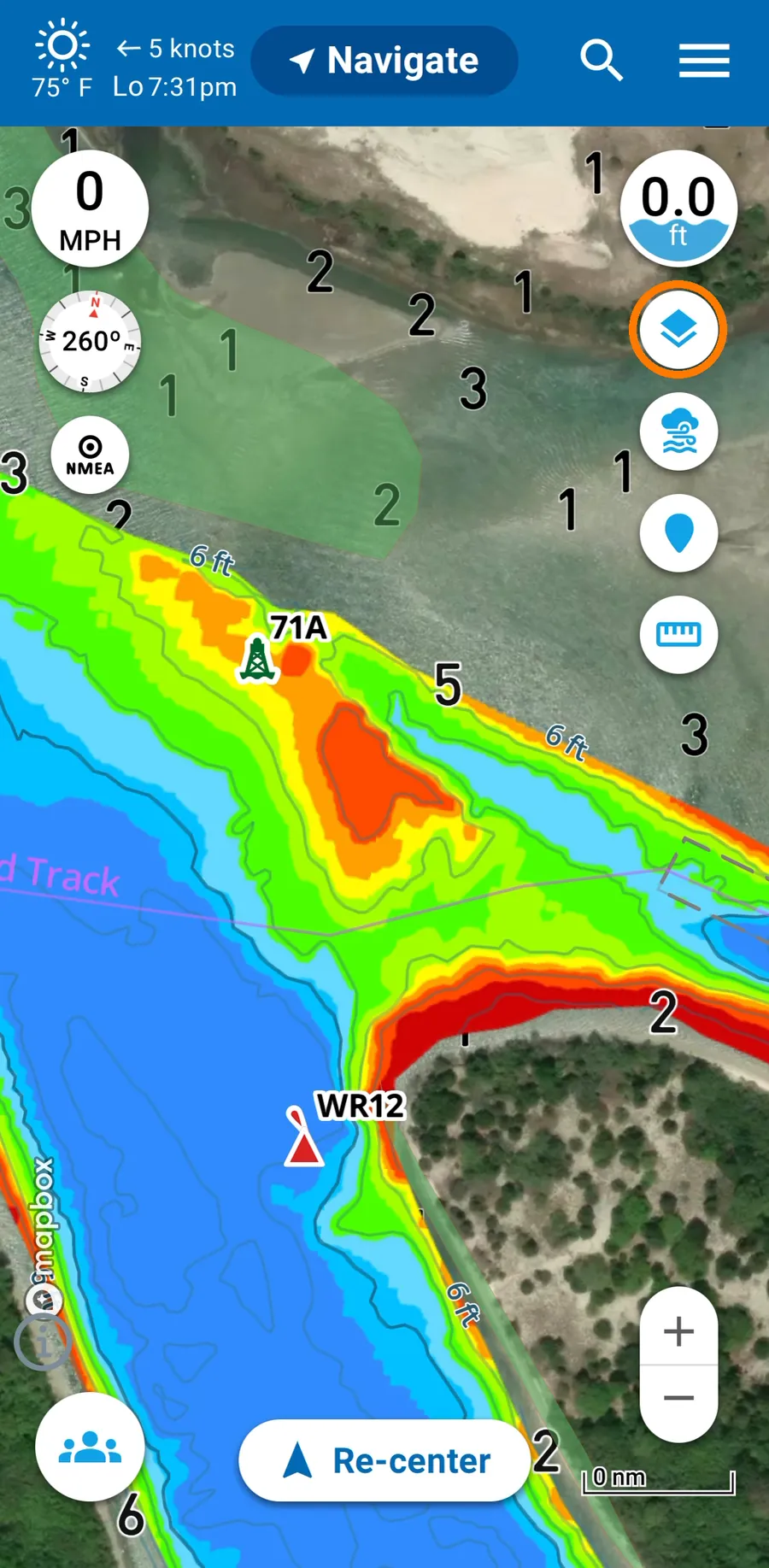
1. Open Map Options
From the map, tap the layers button (the stacked squares on the right) to open Map Options.
2. Turn on the USACE view
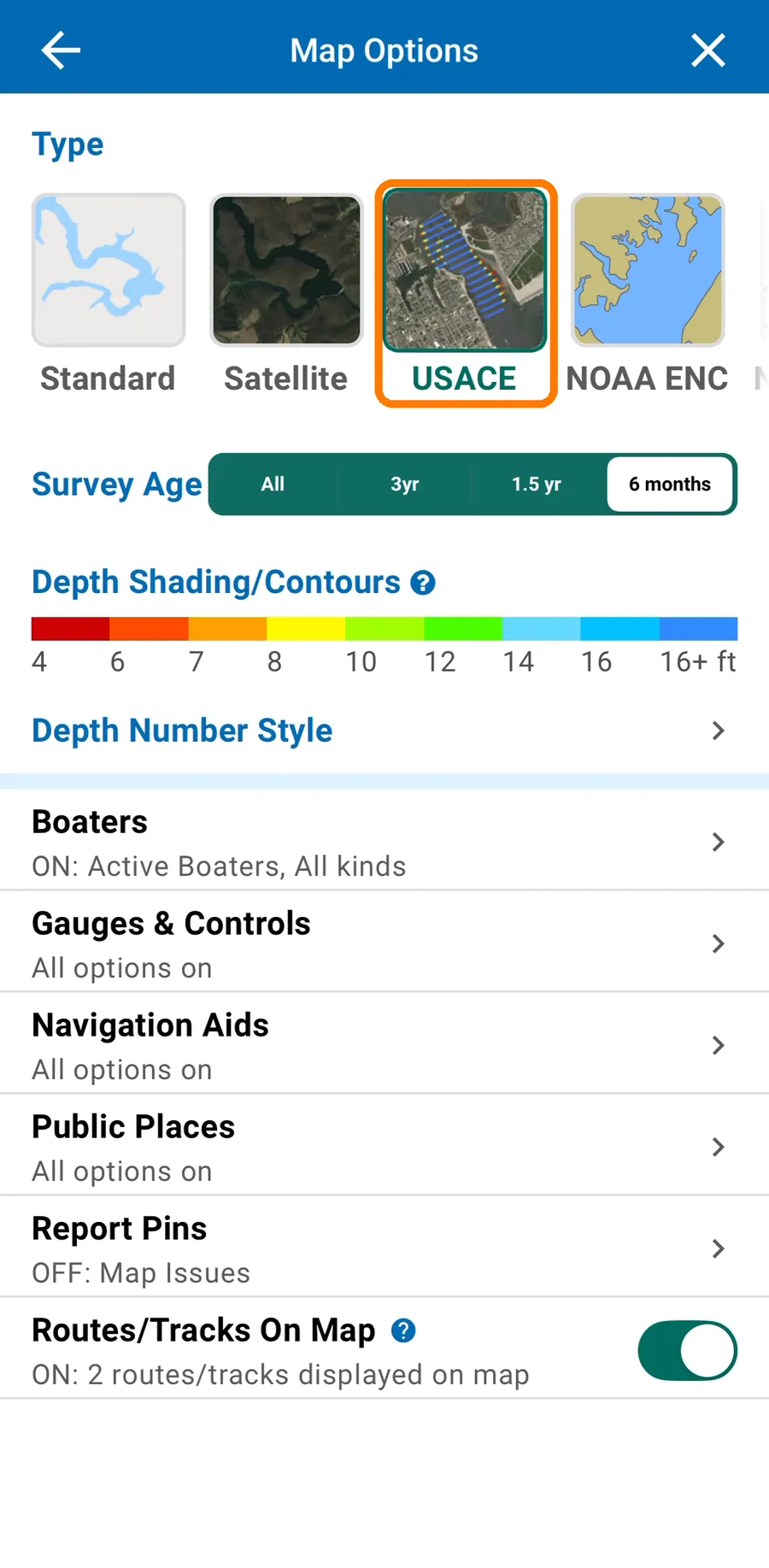
Under Type, tap USACE. The survey depths show on top of a satellite image.
3. Choose how recent a survey you want to see
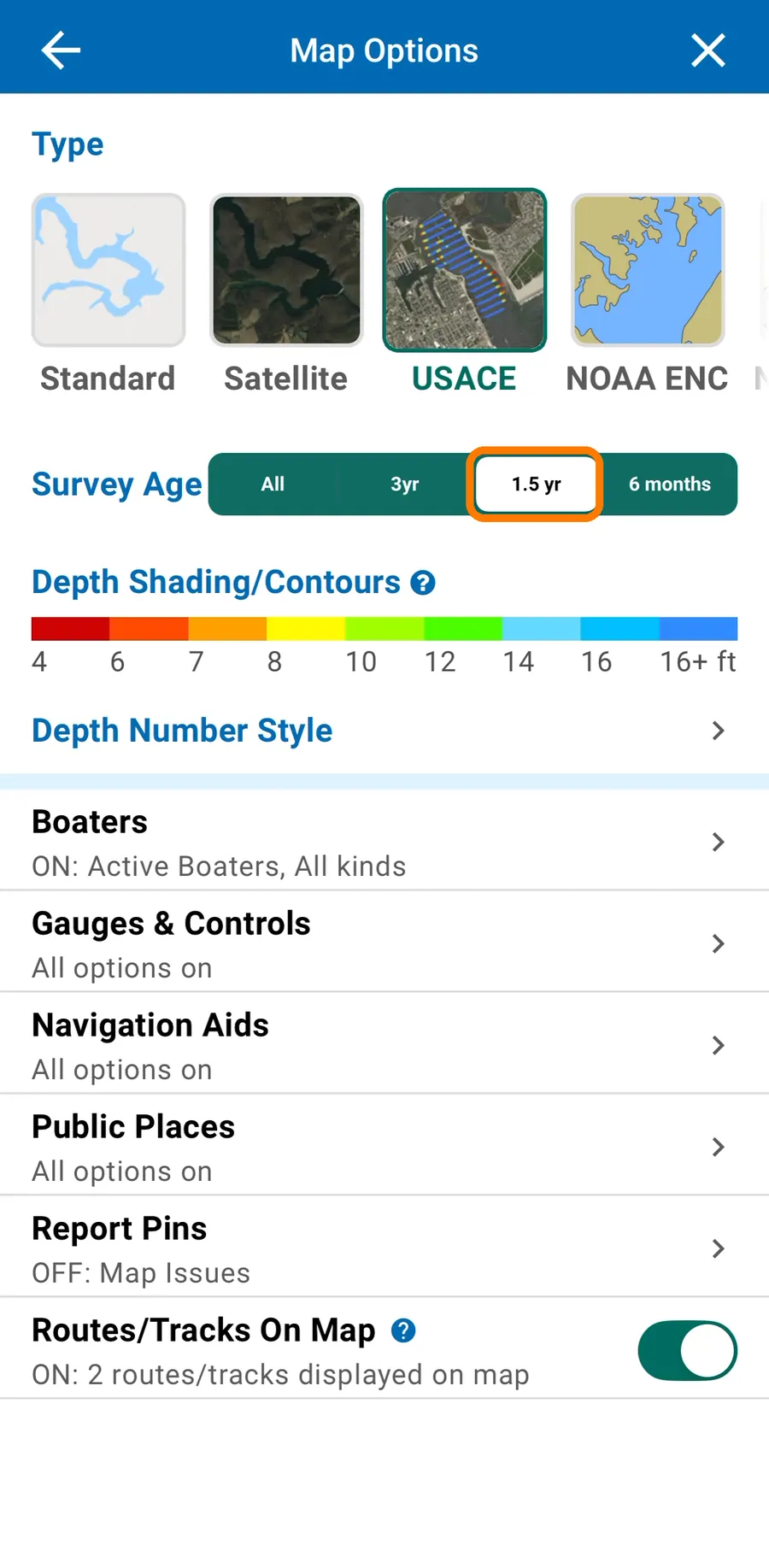
Next to Survey Age, tap All, 3yr, 1.5 yr or 6 months. Argo then shows only surveys taken within that time.
Not sure where to start? Pick 6 months. If the shading disappears from the channel you care about, its latest survey is older than that. That’s common for smaller channels. Switch back to All to see the most recent survey.
4. Read the depths
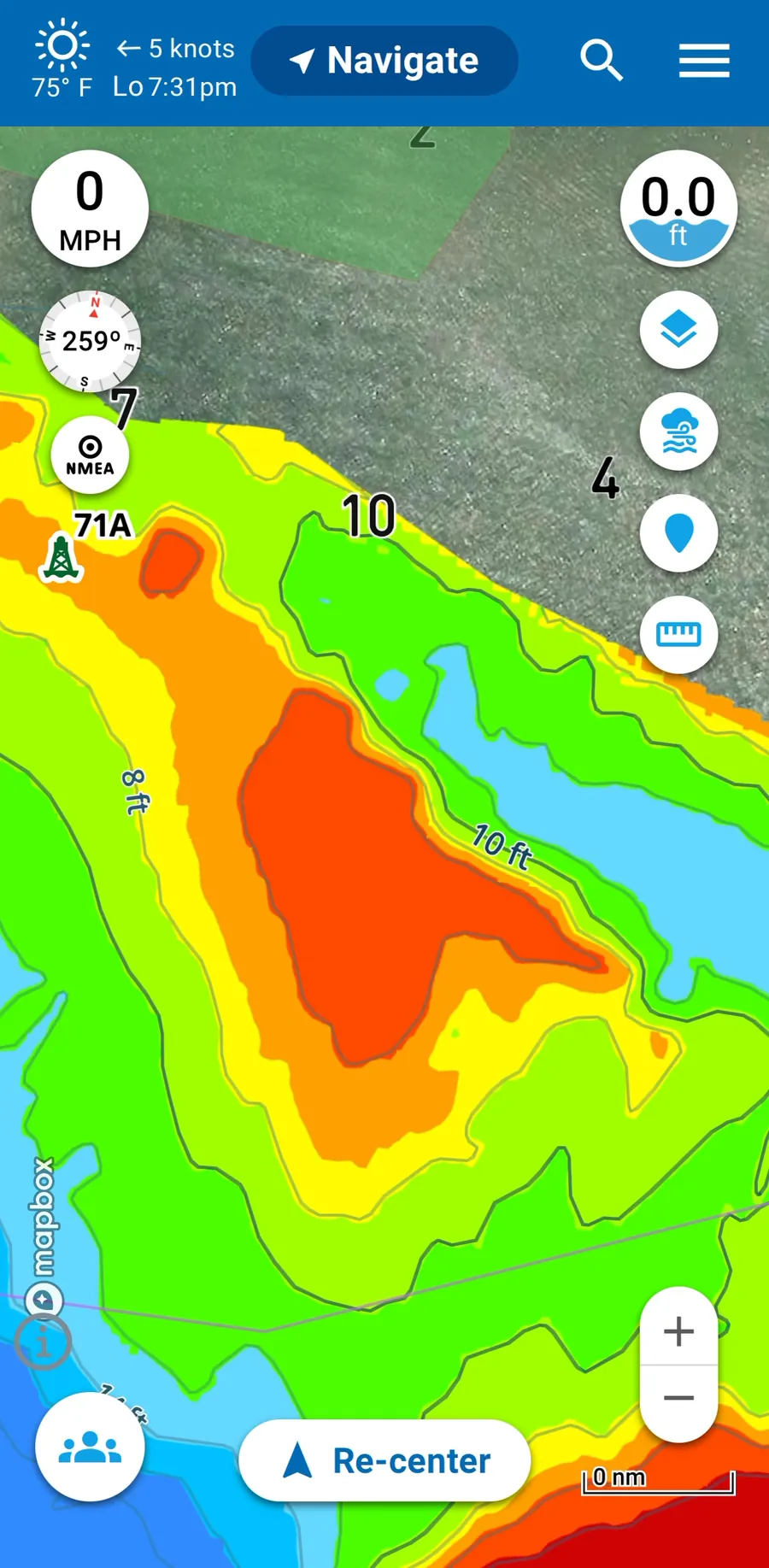
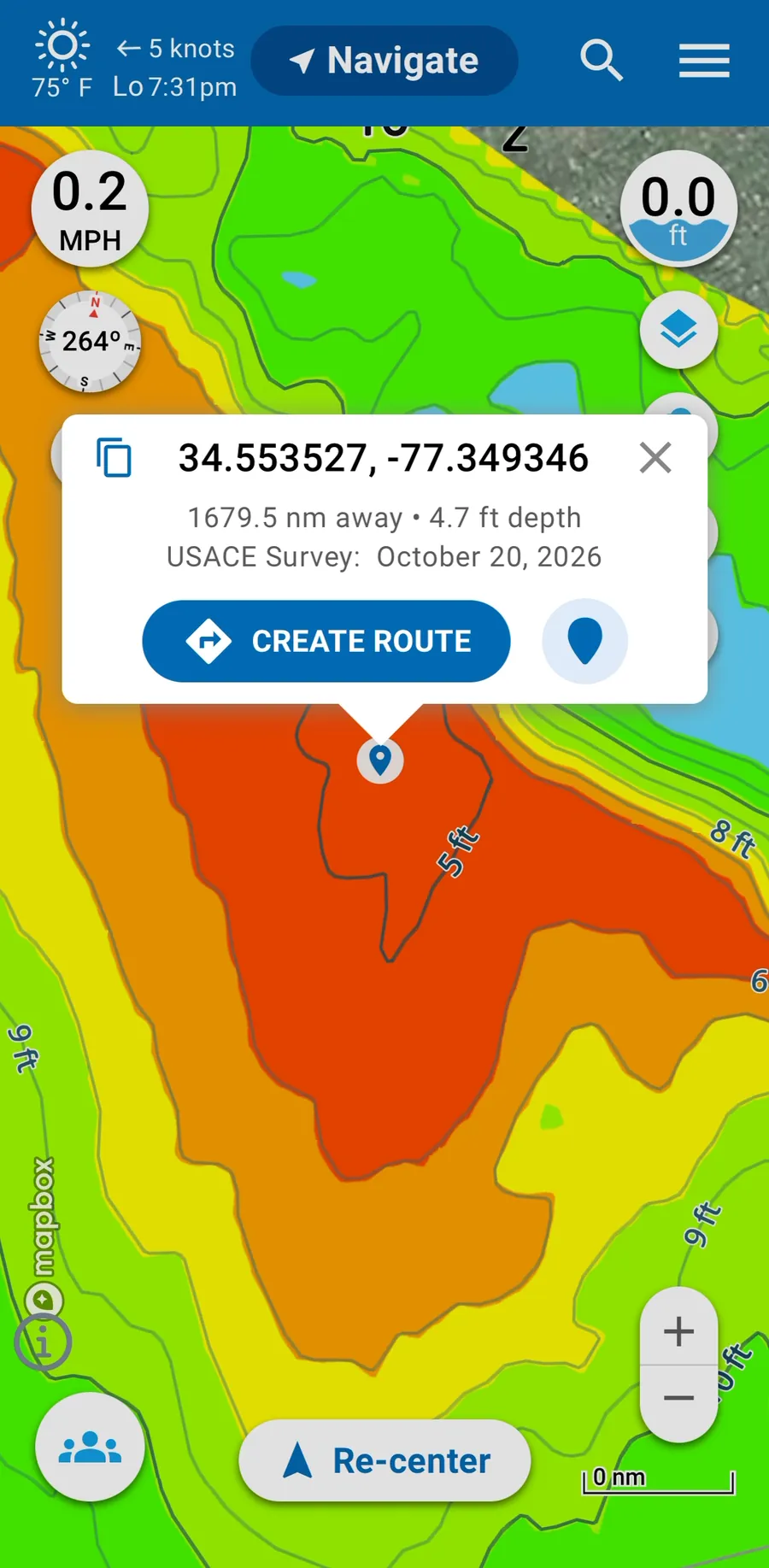
Tap the X to go back to the map. Each color is a depth range, from red at 4 ft to blue past 16 ft. The full scale is under Depth Shading/Contours in Map Options, and it’s the same every time you use the USACE view.
Compare the colors with your boat’s draft. Zoom in on the channel to see contour lines for every foot of depth. The shallow edges and humps show up as warmer colors.
5. Check the depth and survey date at one spot
Press and hold a spot on the survey. A box shows the depth there and the date of the survey it came from, for example “USACE Survey: October 20, 2026.”
From the same box, tap CREATE ROUTE to plan a route to that spot.
What’s next
Plan your trip through the channel you just checked: Create a route.